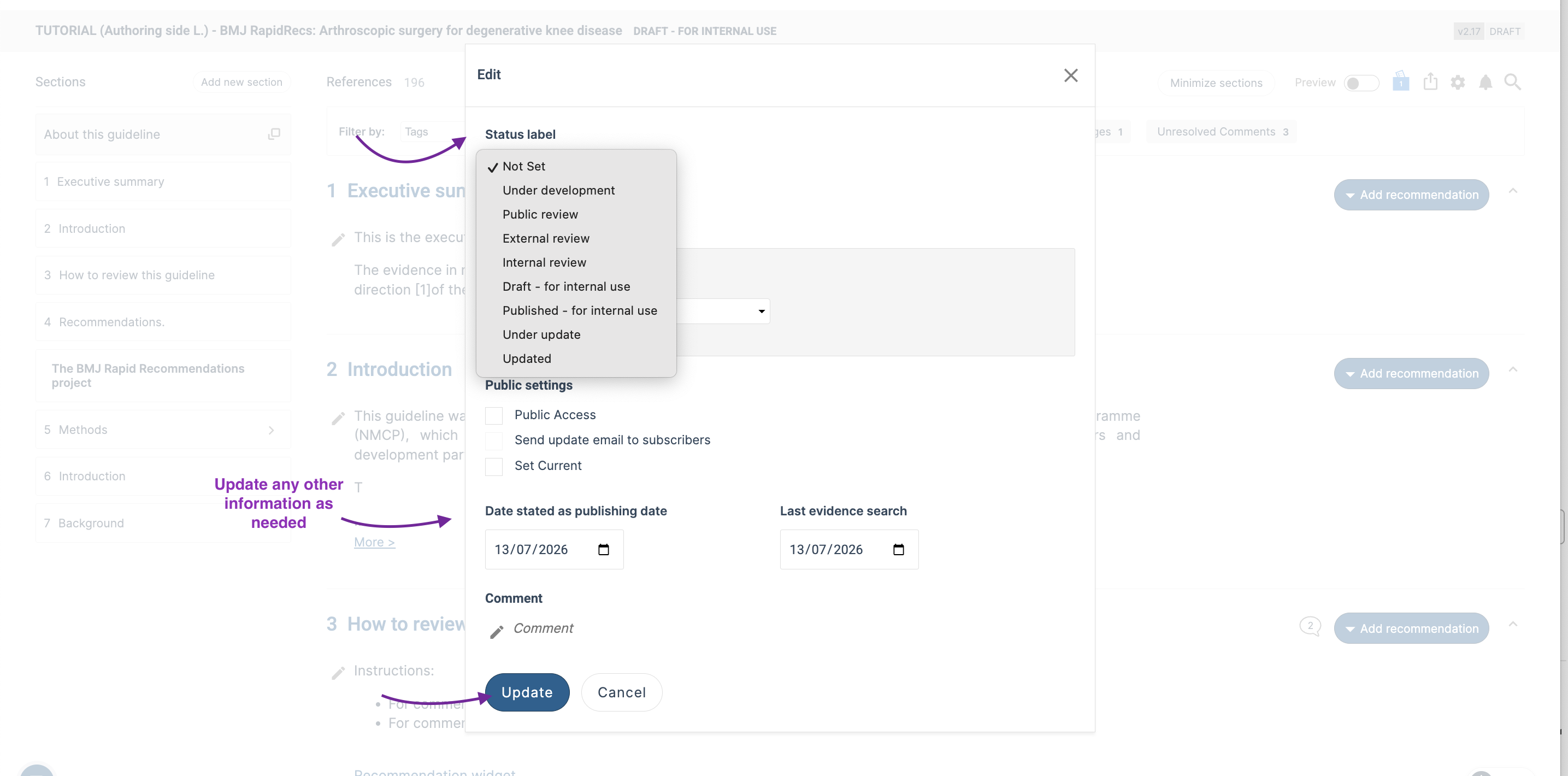
Status labels allow you to communicate the status of your guideline to viewers. They can be used to indicate the guideline status to both readers of public guidelines, and to authors and reviewers of guidelines in development that aren’t public. The status labels available are:
- Under development
- Public review
- External review
- Internal review
- Draft – for internal use
- Published – for internal use
- Under update
- Updated
You can also opt to have no status label.
Set or change the status label during guideline development
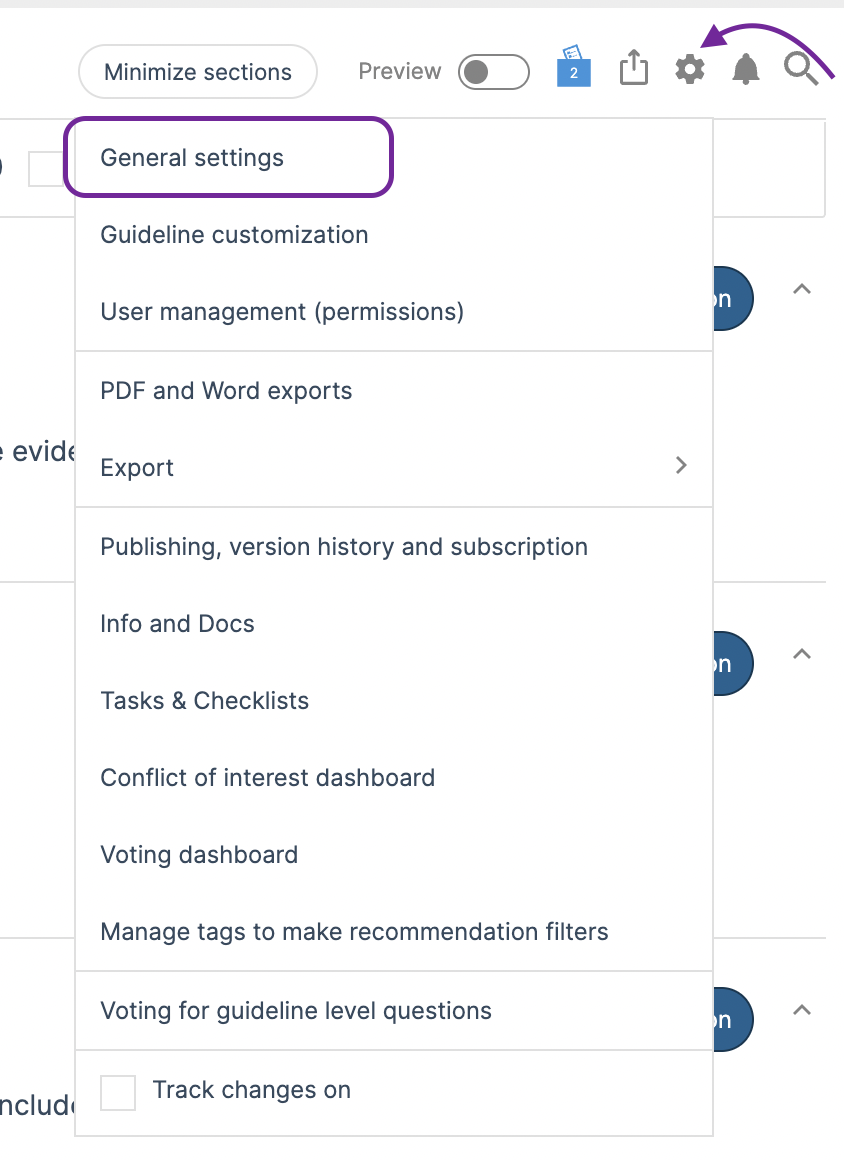
To set the status label, go to "General settings", and then select “Set status labels visible for viewers”.
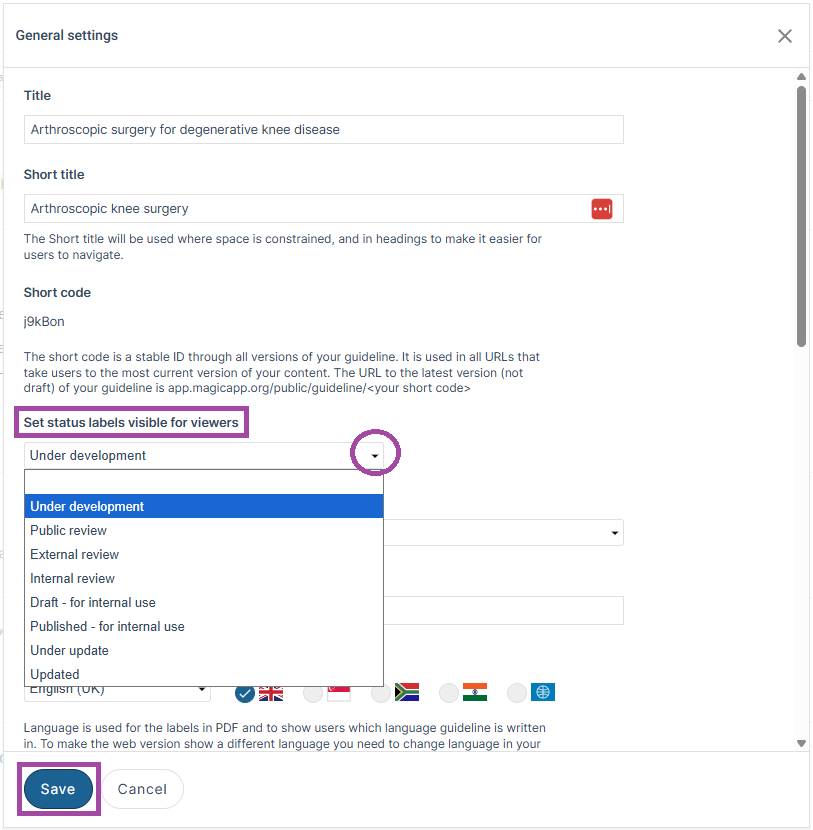
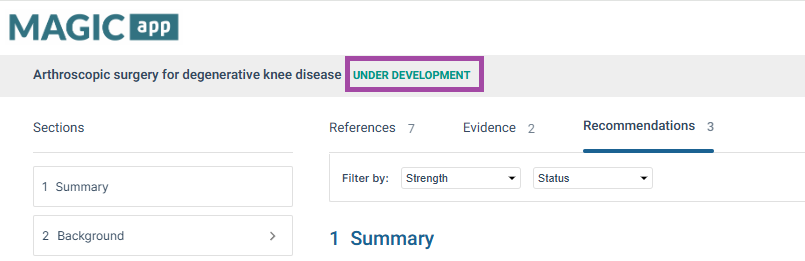
Once you have set the status label, reload your page to view the status label.
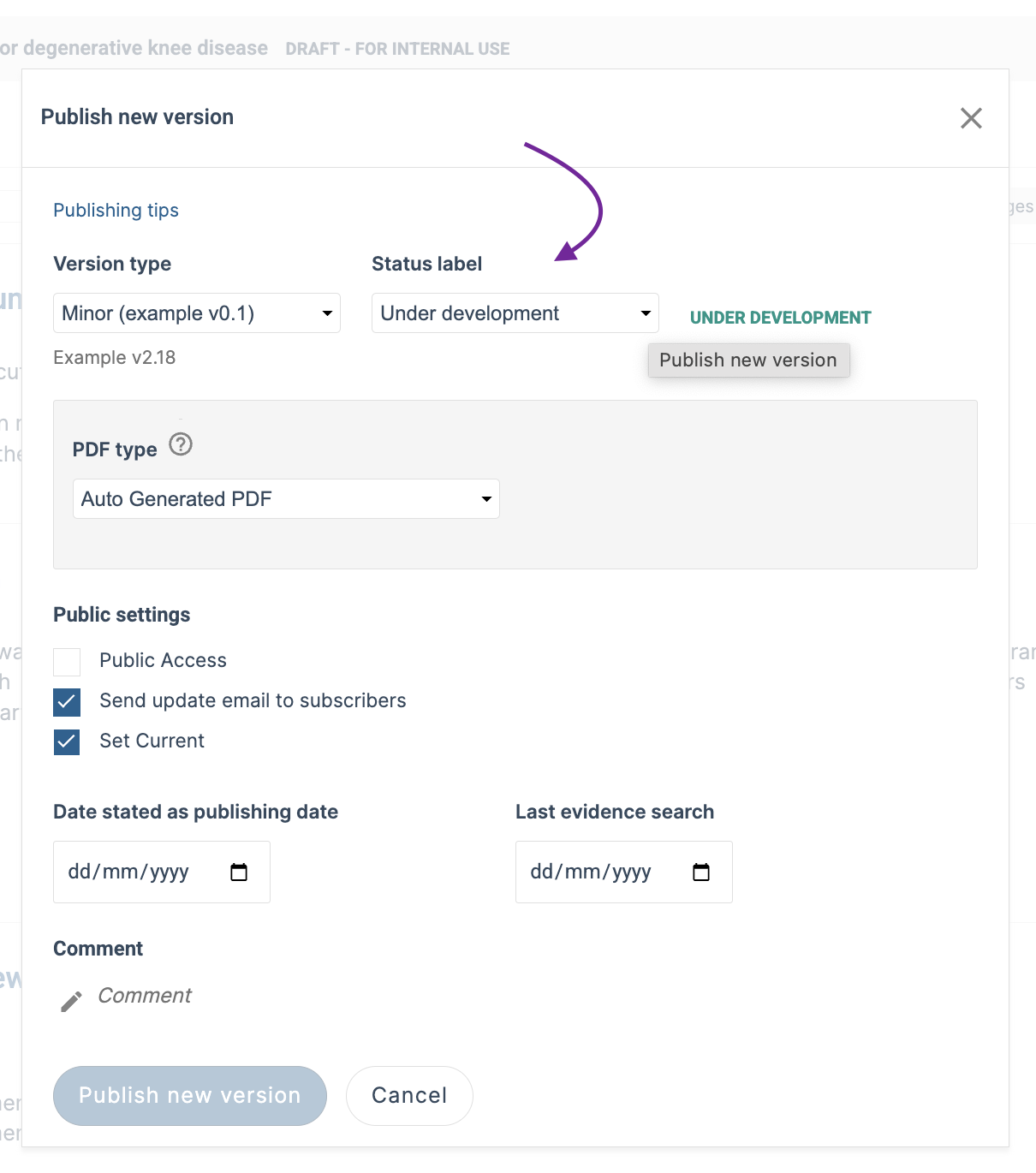
Change the status label of a published guideline
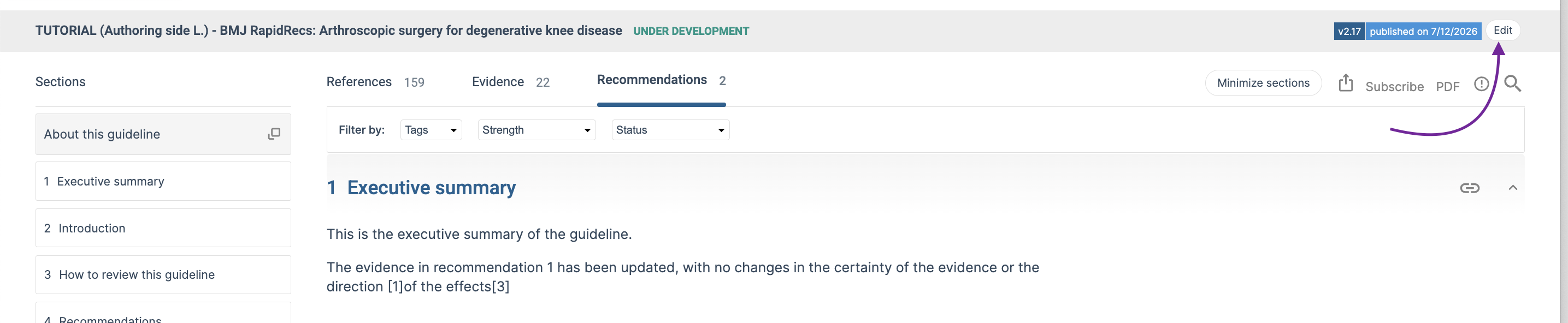
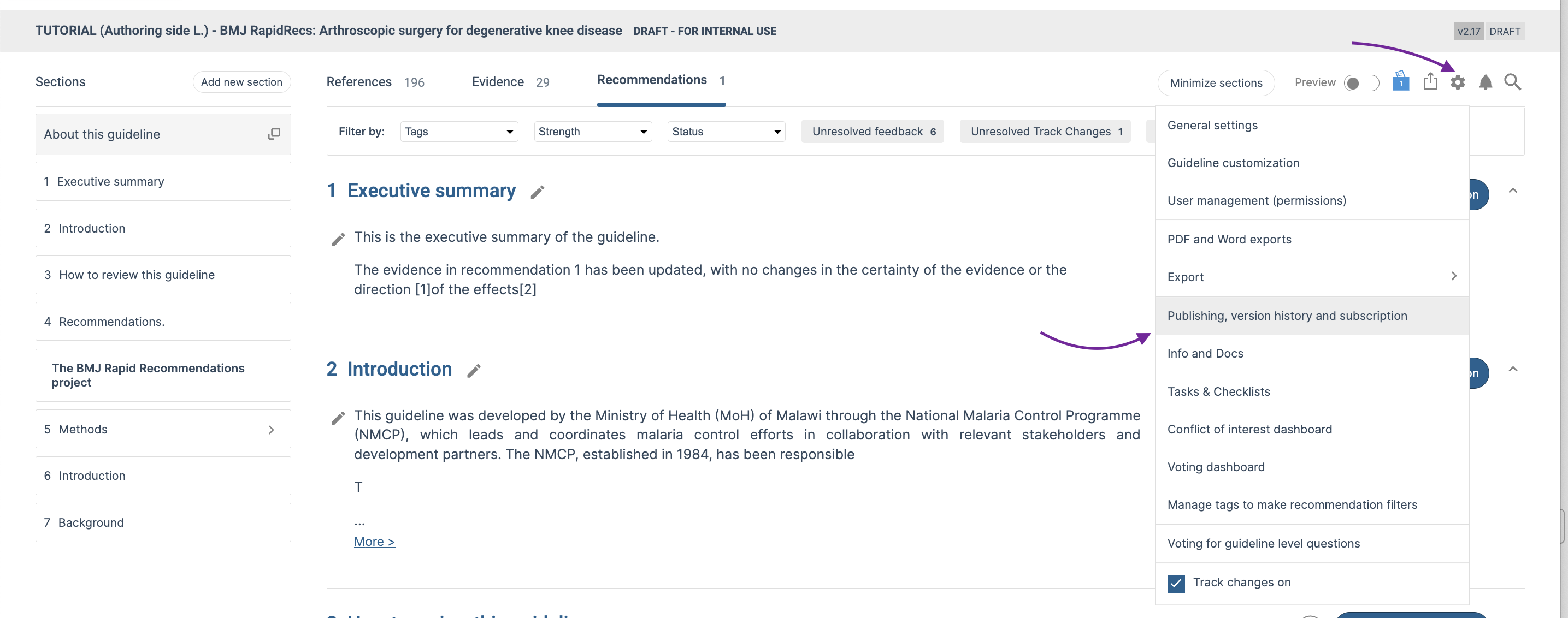
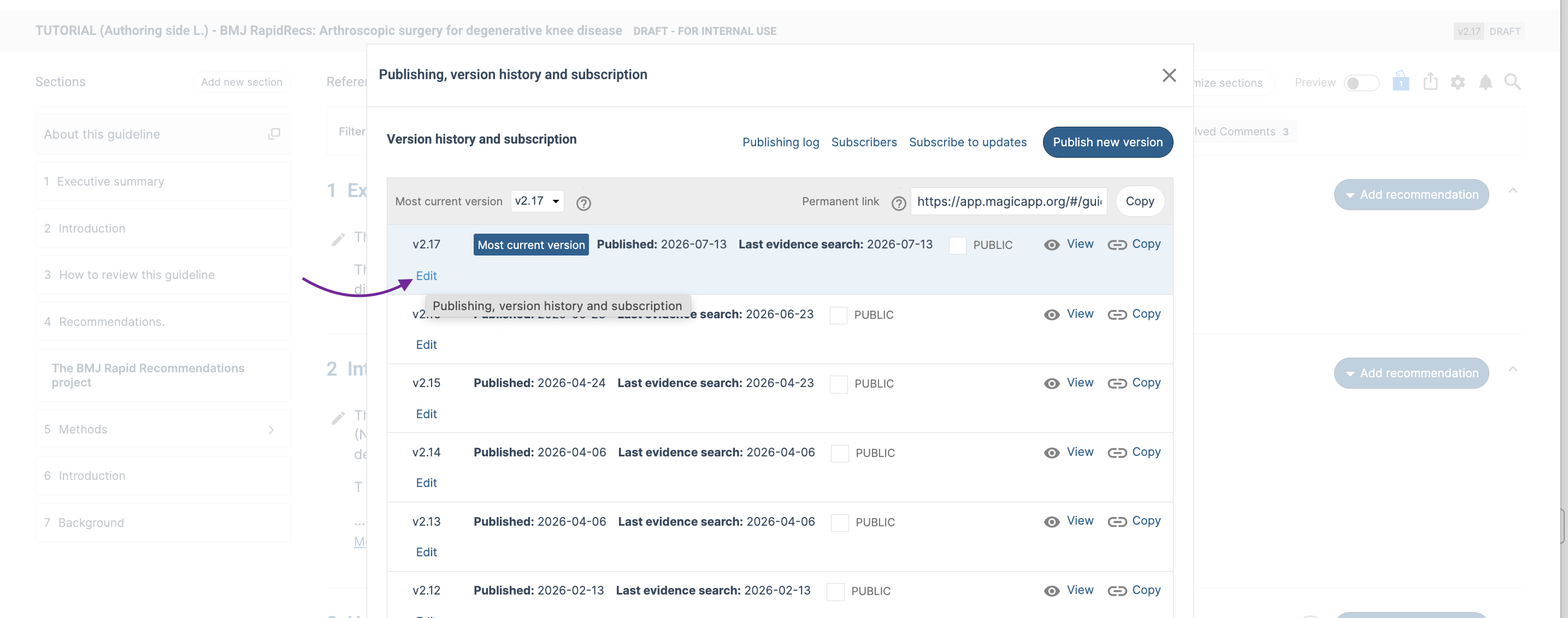
You can change the status label of a published guideline without republishing the guideline. Enter edit mode, go to General settings, publishing, version history and subscription.
Related articles:
How do I set a recommendation status label visible for viewers?
Was this article helpful?
That’s Great!
Thank you for your feedback
Sorry! We couldn't be helpful
Thank you for your feedback
Feedback sent
We appreciate your effort and will try to fix the article