Recommendation status labels help readers quickly identify recommendations that are new, updated, under review, or otherwise noteworthy. Status labels are displayed to viewers and are added automatically in some situations, or manually by guideline authors.
- When is a recommendation status label applied automatically?
- How do I manually apply or change a recommendation status label?
- How do I manually remove a recommendation status label?
When is a recommendation status label applied automatically?
The New status label is automatically applied when a new recommendation is created in a draft of a guideline that has previously been published.
Once applied, the New label remains attached to the recommendation until it is manually changed or removed (see below). It is not automatically cleared when a new draft is created after publication, allowing guideline teams to apply their own editorial policies regarding how long recommendations should continue to be identified as new.
How do I manually apply or change a recommendation status label?
- Open the recommendation.
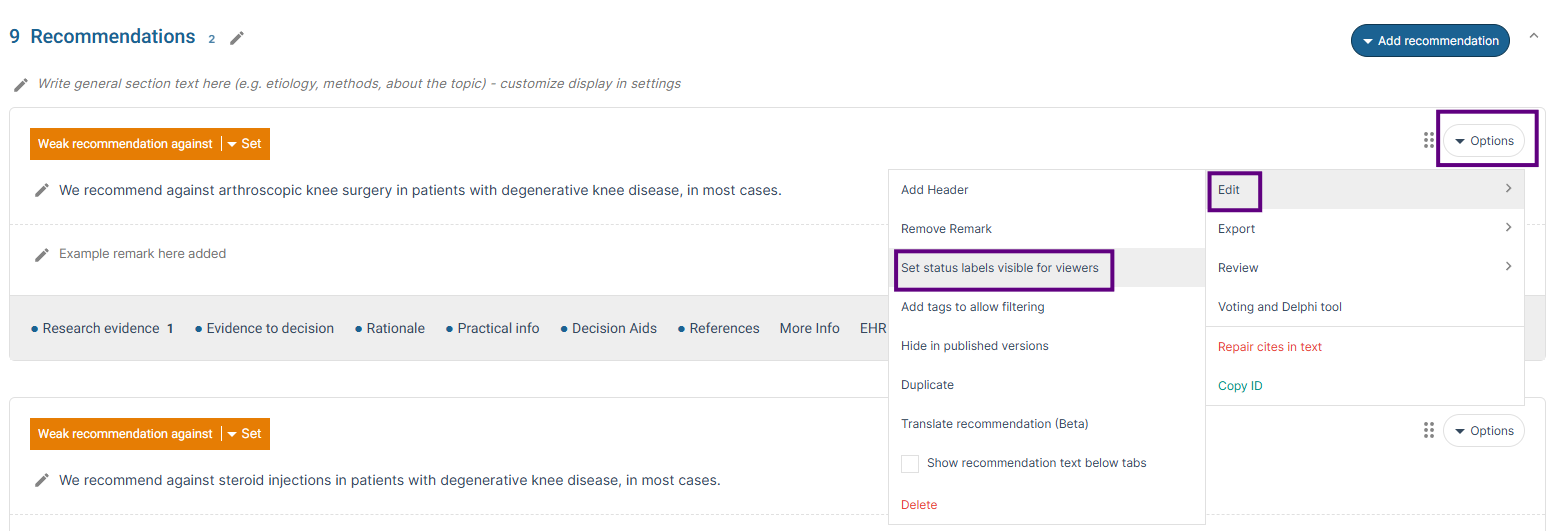
- Select the Options menu for the recommendation.
- Click Edit.
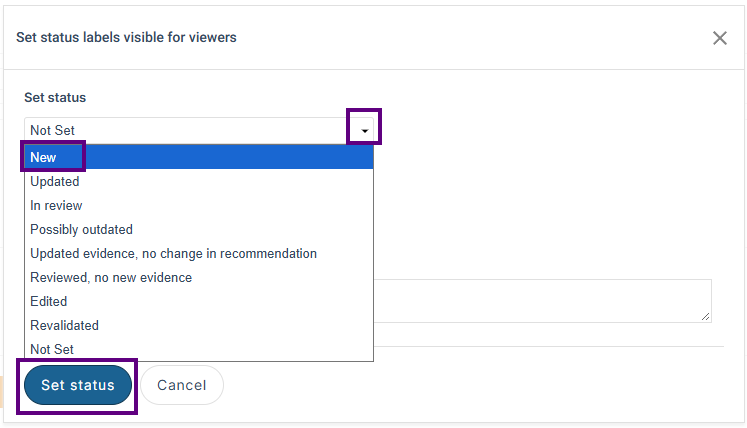
- Locate Set status labels visible for viewers. The options are:
- New
- Updated
- In review
- Possibly outdated
- Updated evidence, no change in recommendation
- Reviewed, no new evidence
- Edited
- Revalidated
- Not Set
- Select the appropriate status from the drop-down list.
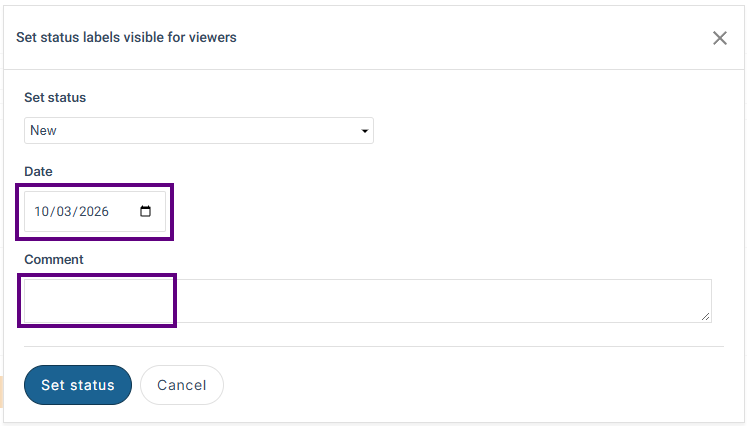
- You can also add a date or comment (both optional).
- Select Set status to save your changes.
How do I manually remove a recommendation status label?
To remove a recommendation status label, select Not Set from the Set status labels visible for viewers drop-down list, using the steps above.
If you need to update multiple recommendations, you can use the recommendation filtering and sorting options to identify recommendations with a particular status label (for example, New) and then update them individually. See Using Content Filters to Review Draft Content for further details.
Related articles
How do I set a guideline status label visible for viewers?
Added: 01 October 2026
Was this article helpful?
That’s Great!
Thank you for your feedback
Sorry! We couldn't be helpful
Thank you for your feedback
Feedback sent
We appreciate your effort and will try to fix the article