MAGICapp now includes additional content filters to help authors and administrators quickly review and navigate draft guideline content.
These filters make it easier to identify content that may require attention and to focus on specific parts of a guideline during development and review.
Accessing the Filters
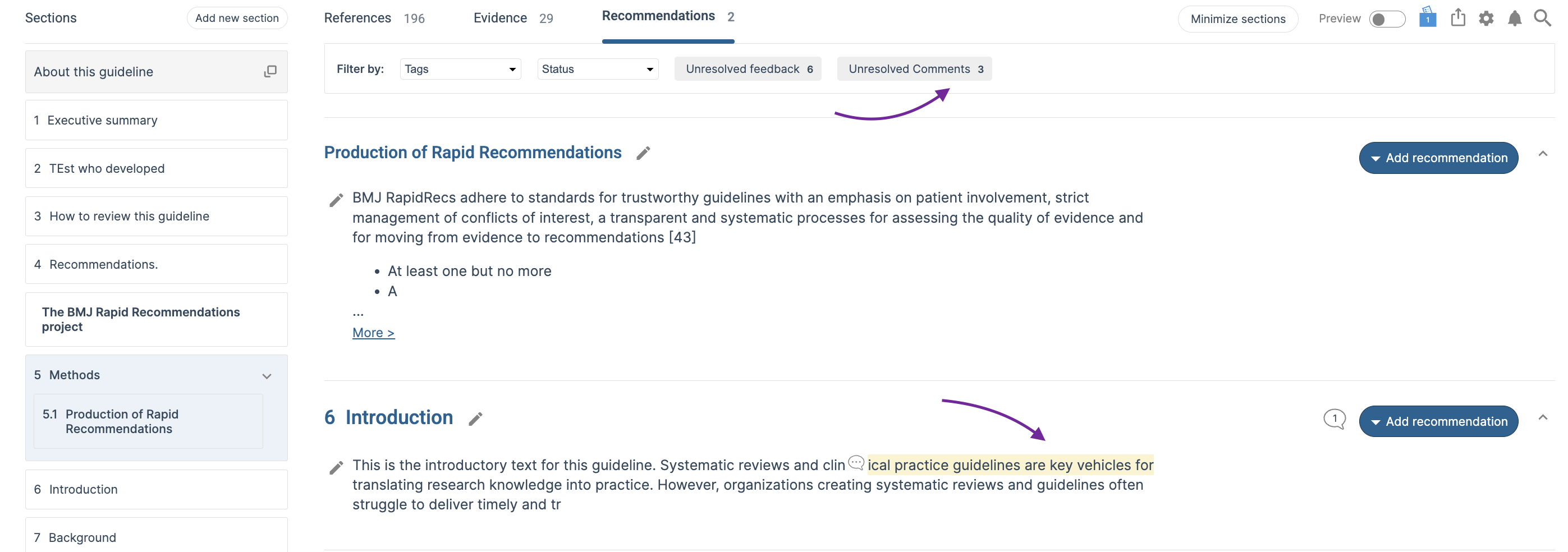
The content filters are located at the top of the guideline content view. Selecting one or more filters will limit the displayed content to items that match the selected criteria.
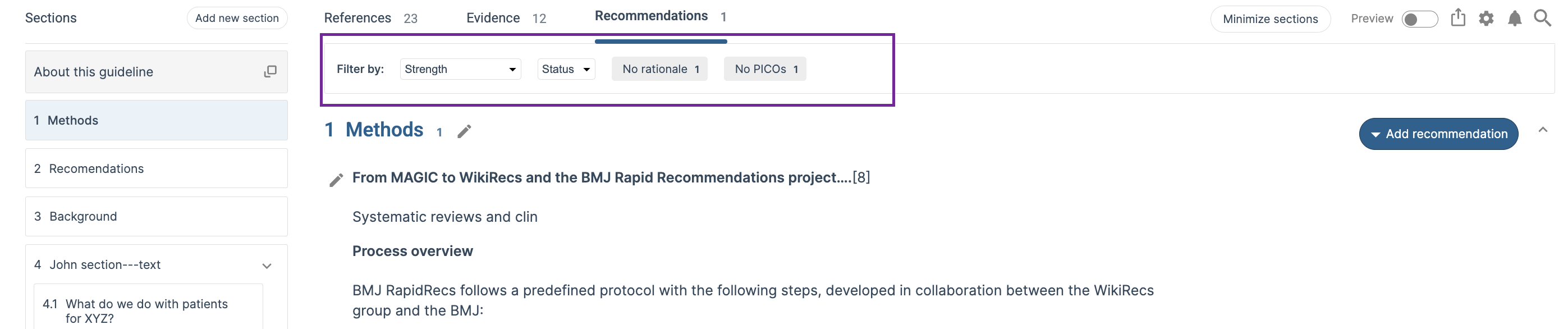
Available Filters
Tags: Filter recommendations based on assigned tags. Tags can be used to organize and group content within a guideline, making it easier to review specific topics, sections, working groups, or content categories.
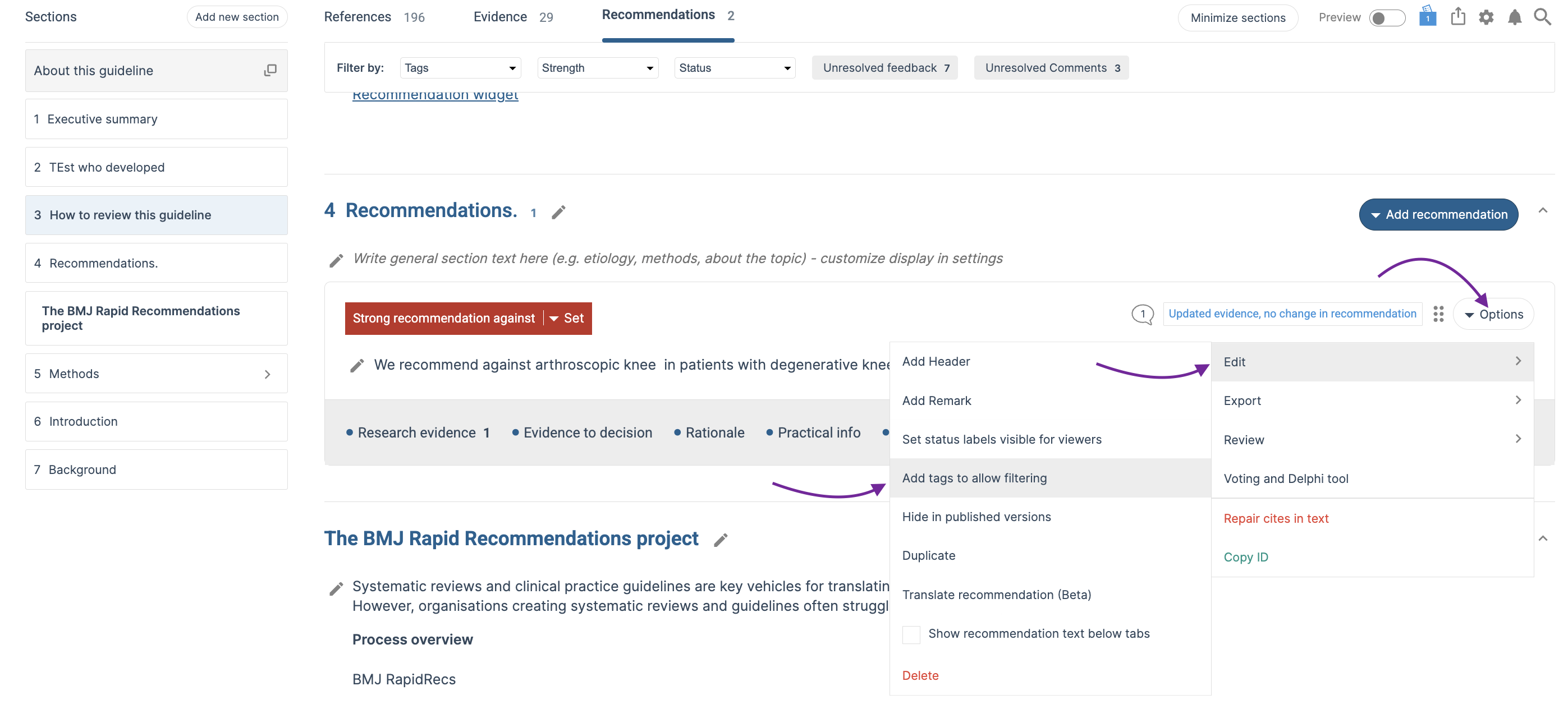
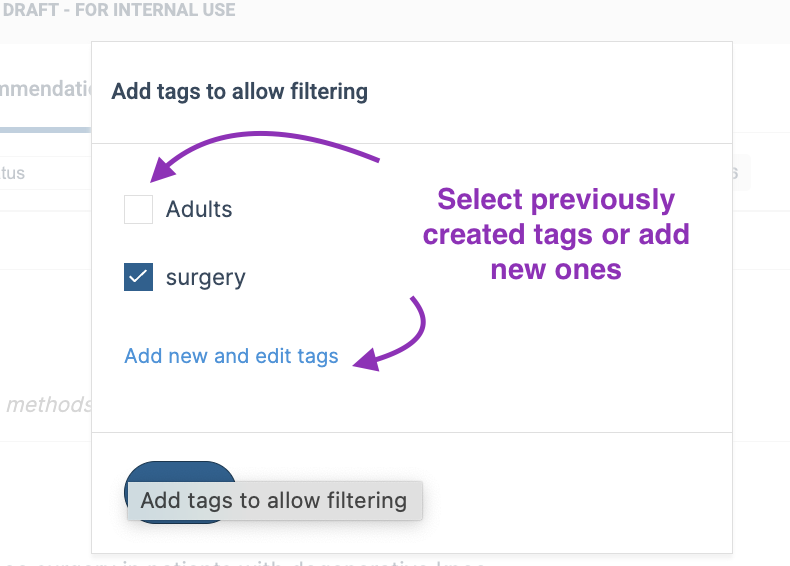
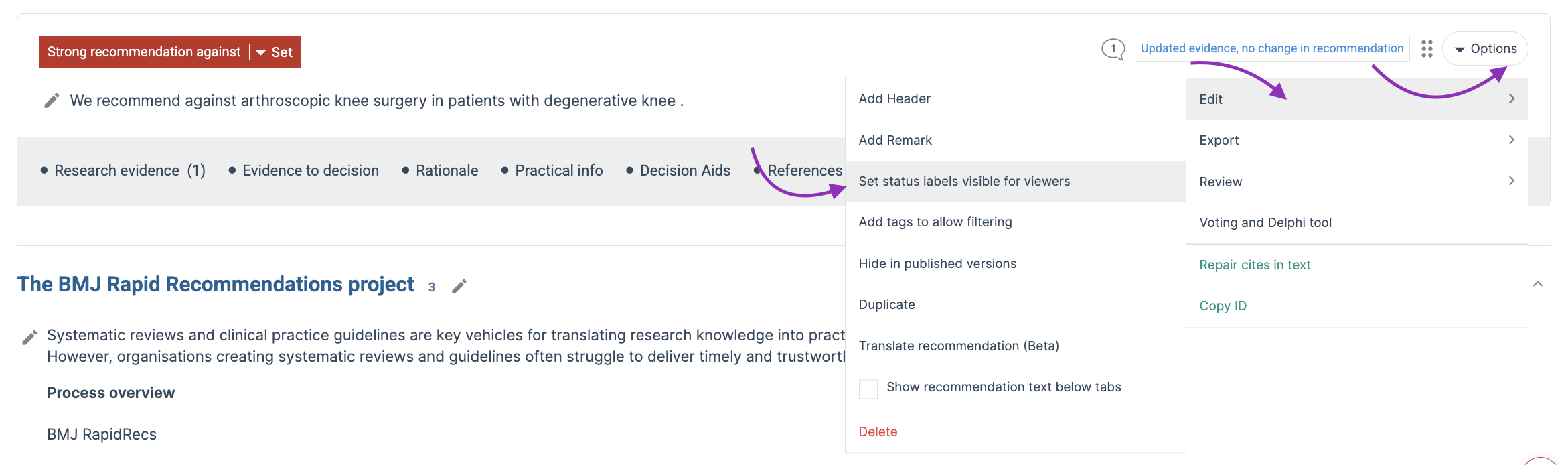
To add tags to a recommendation, open the recommendation's Options menu, select Edit, and then choose Add tags to allow filtering. You can select from existing tags or create new ones. Once assigned, tags can be used in the content filters to quickly locate and review related content.
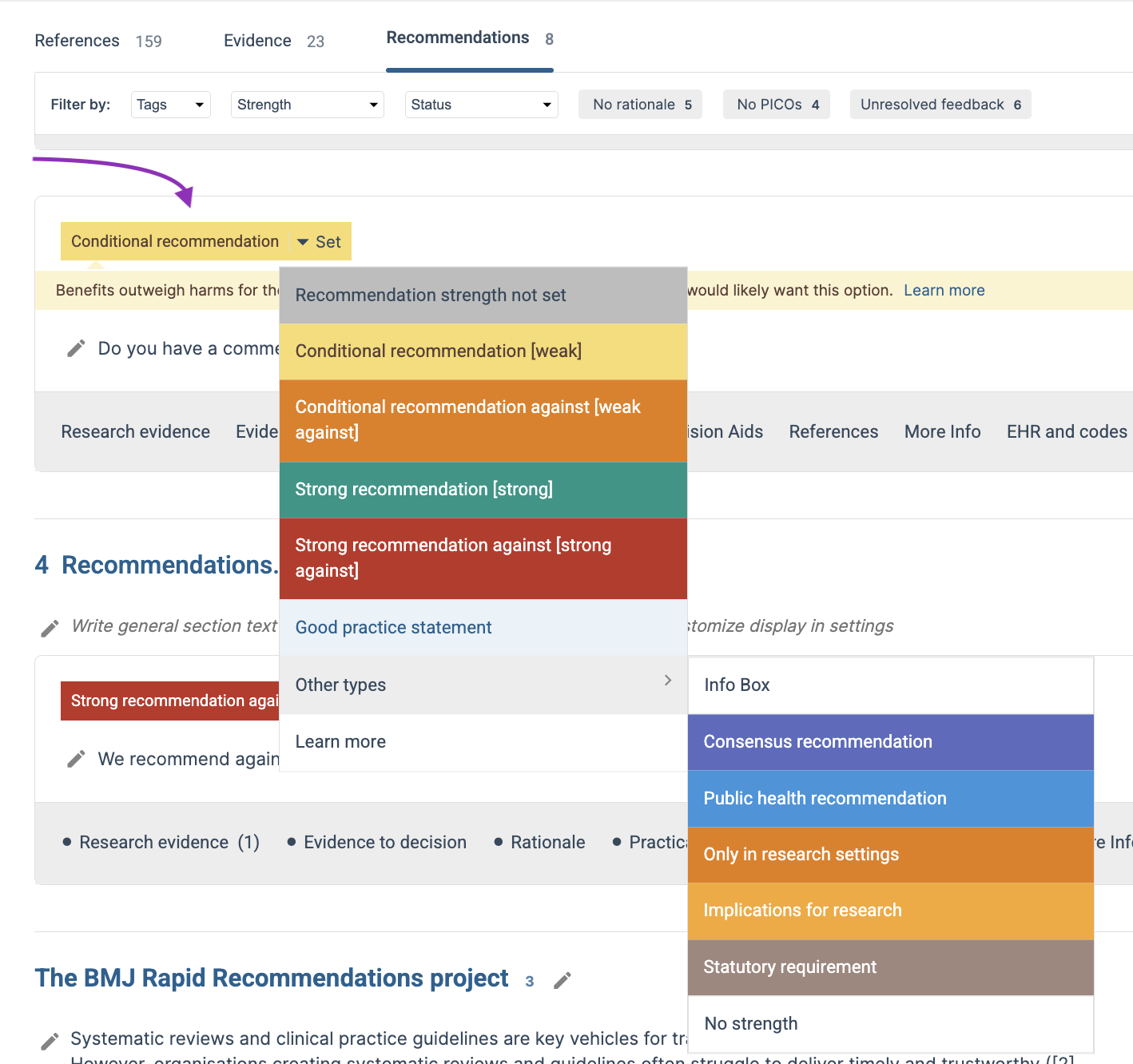
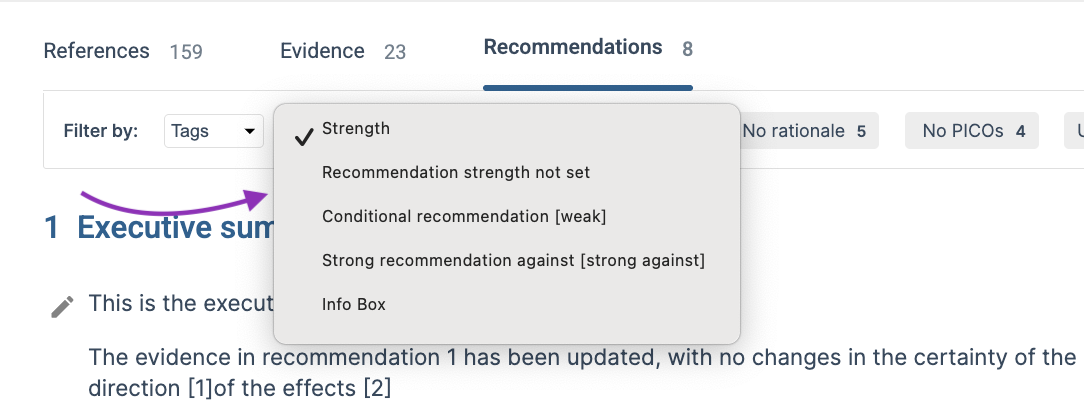
Recommendation Strength: Filter recommendations based on the recommendation strength assigned to them. This allows you to quickly view and review recommendations or top-layer content across the guideline according to their strength classification, such as strong or conditional recommendations.
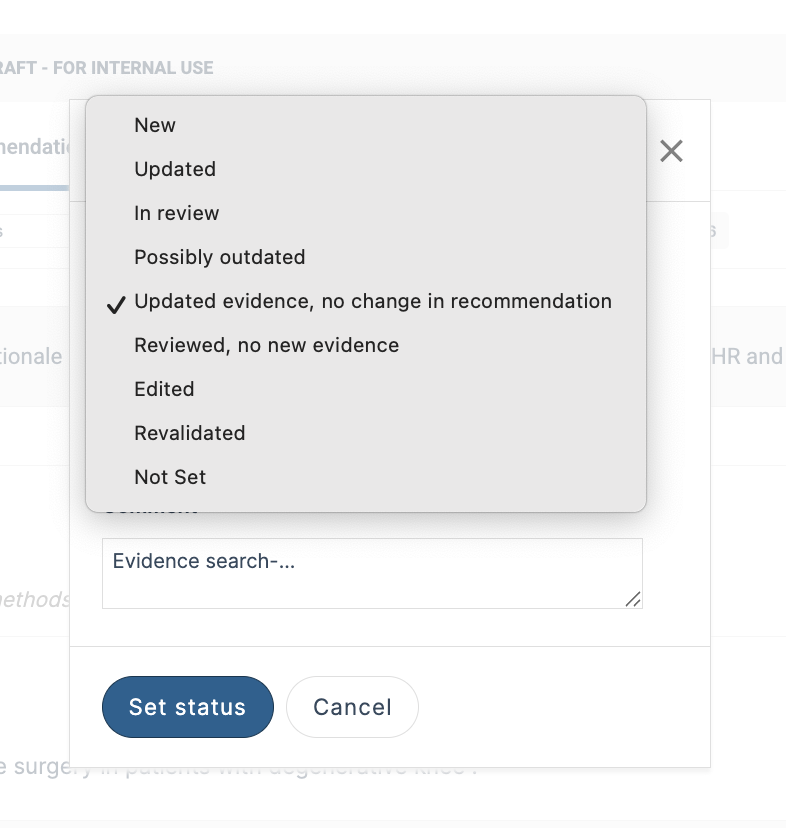
Status: Filter content based on its current status. This can help teams focus on content that is still under development, under review, new, updated, or any other status used in the guideline. To add or edit a status label, open the recommendation's Options menu, select Edit, and then enable Set status label visible for viewers. Select the status that applies to the recommendation and click Save.
Once saved, the status will appear in the content filters at the top of the guideline, allowing you to quickly find and review content by status.

Additional filters: Some filters only appear when matching content exists in the guideline. If there are recommendations without a rationale or linked PICO, or sections or recommendations with unresolved feedback, comments, or track changes, the relevant filter will appear at the top of the guideline.
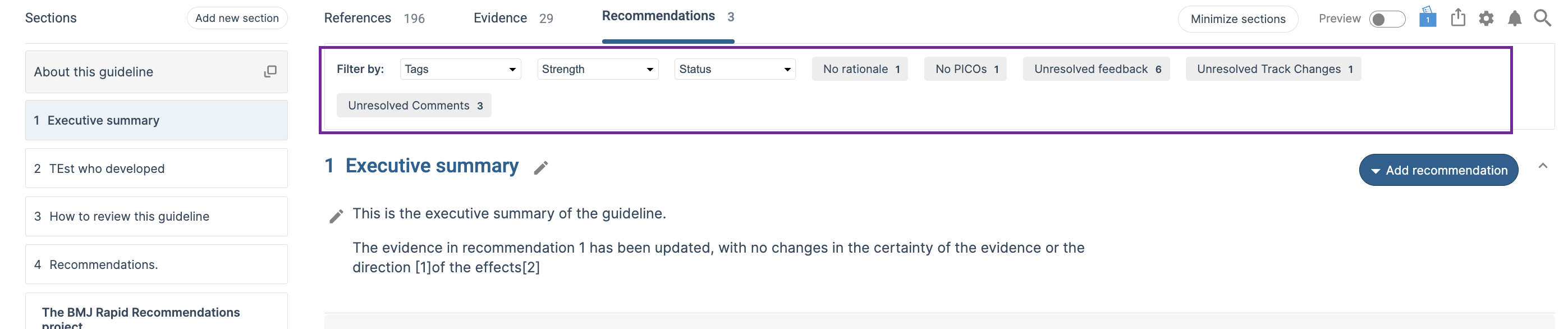
No Rationale: Display recommendations that do not yet contain rationale text. This is useful for identifying recommendations that may still require supporting explanations or justification.
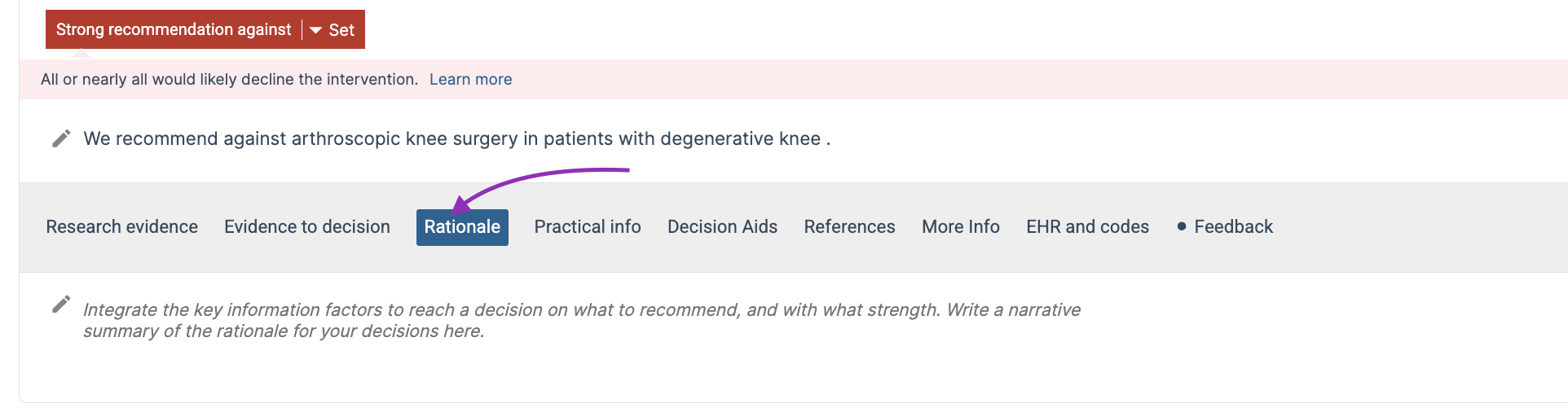
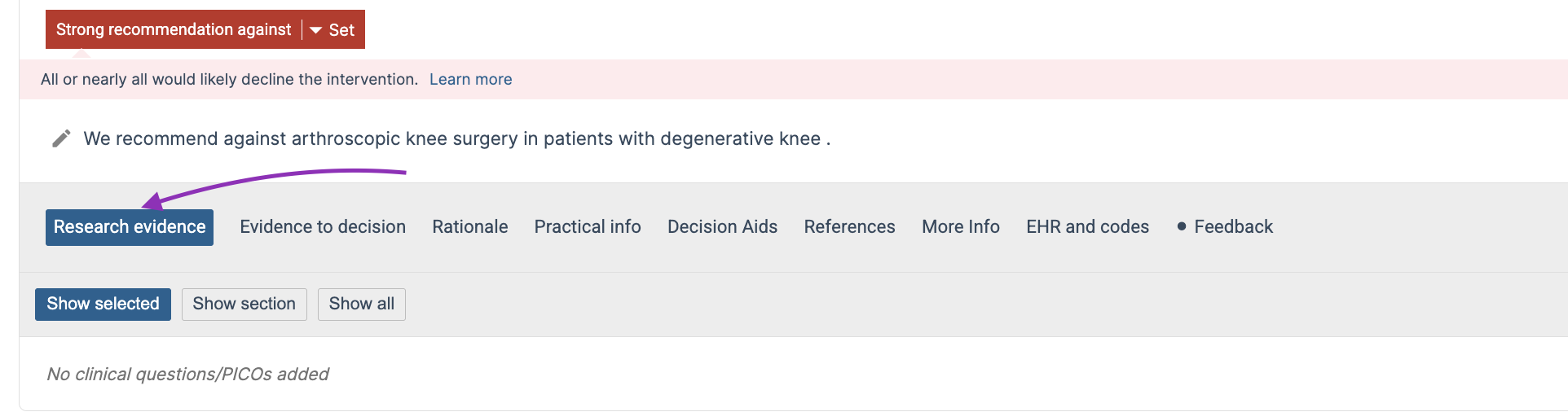
No PICOs: Display recommendations that are not linked to a PICO or evidence profile. This can help identify incomplete recommendation structures and ensure recommendations are connected to the appropriate evidence profiles.
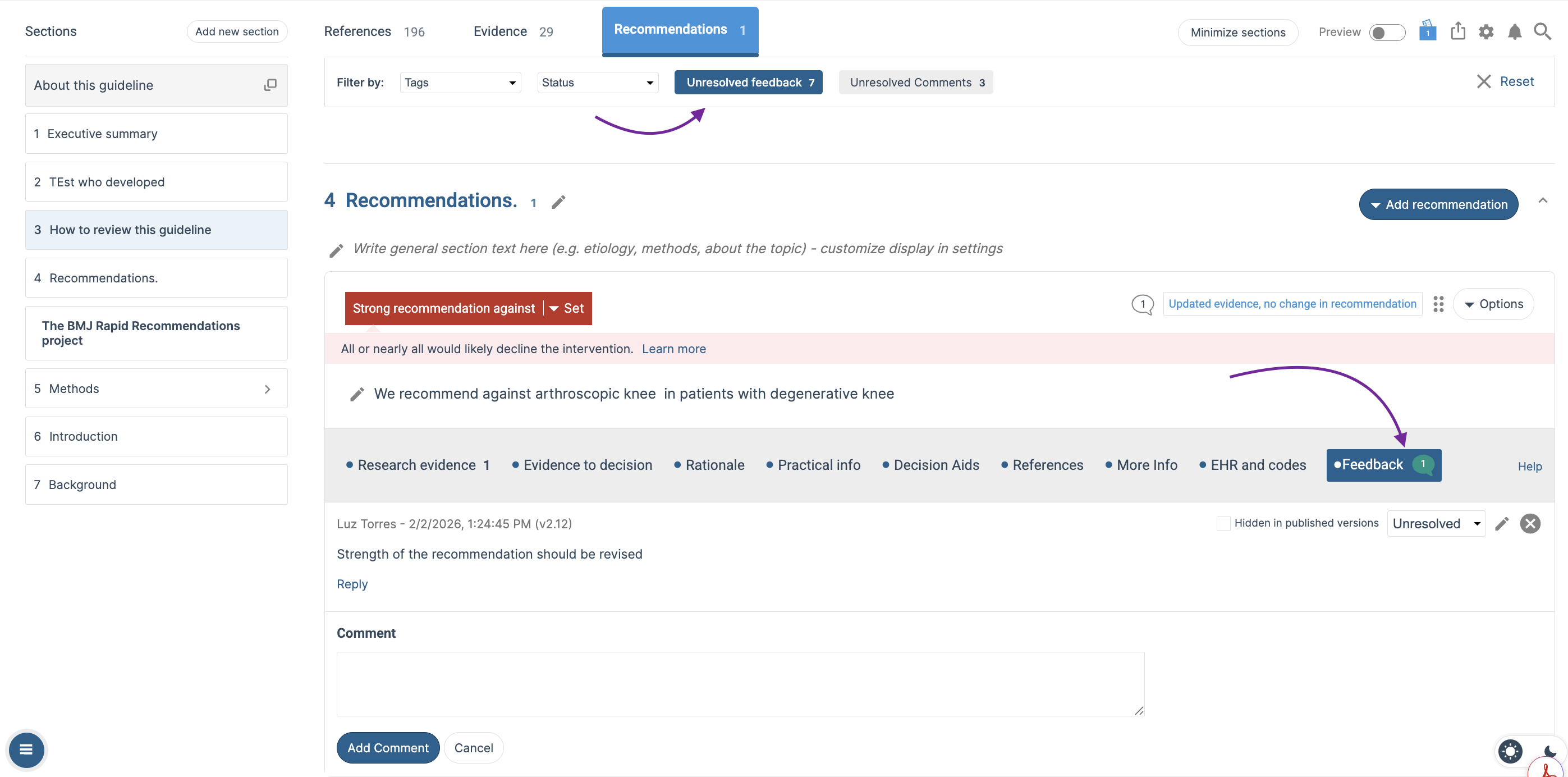
Unresolved Feedback: Display recommendations that contain unresolved feedback comments. This helps authors quickly identify content where feedback still require attention.
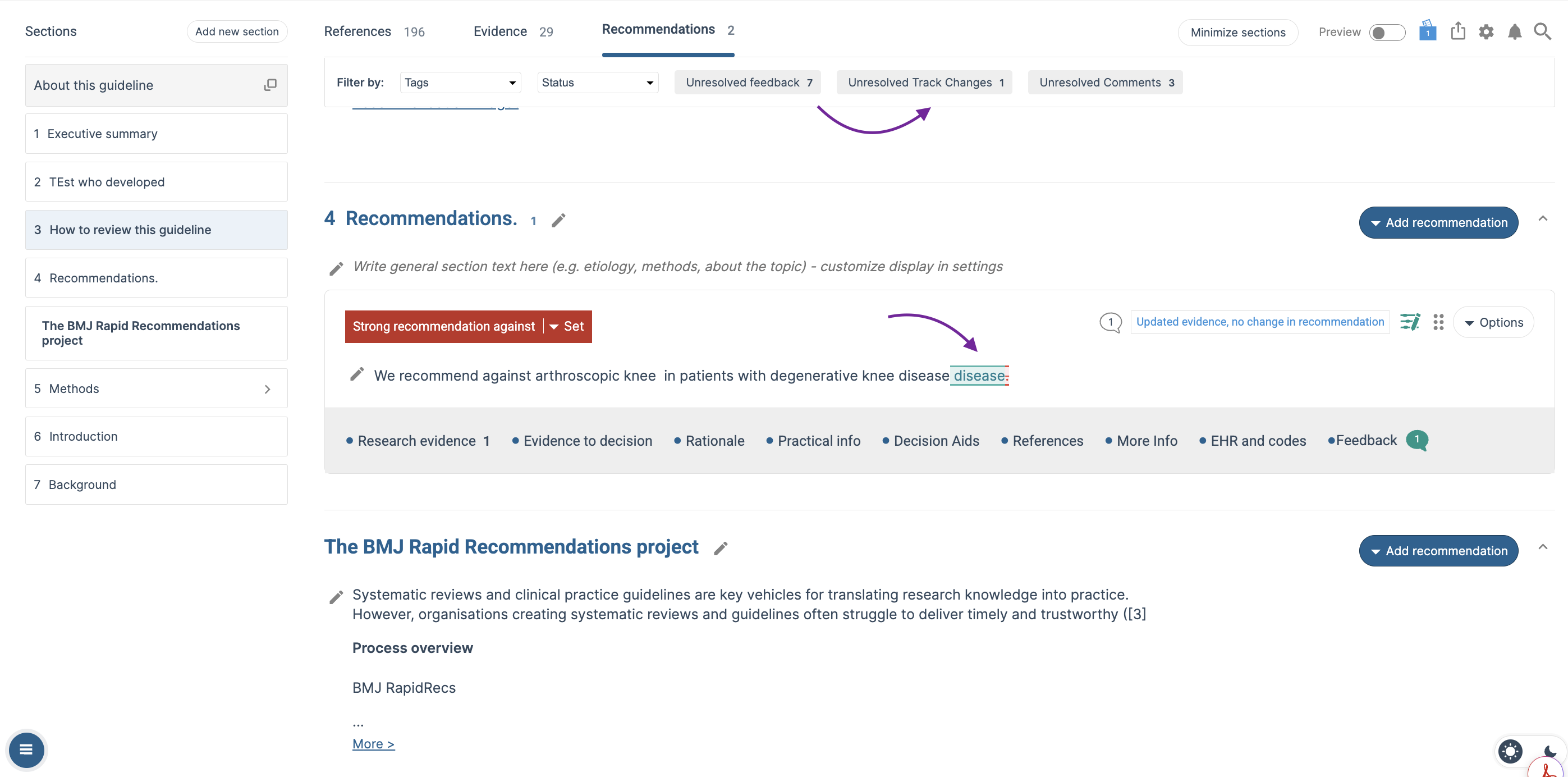
Unresolved Track Changes: This filter will display the sections and recommendations where tracked changes still need to be reviewed, helping authors quickly identify proposed changes that need to be accepted or rejected.
Unresolved Comments: This filter will display the sections and recommendations where comments still require attention, helping authors quickly identify feedback that needs to be reviewed and resolved.
Combining Filters
Multiple filters can be used together to narrow down the displayed content further. For example, you can display:
- Recommendations with unresolved feedback and a specific tag
- Recommendations with unresolved track changes and a particular status
- Recommendations without a rationale and with a particular status
Combining filters can help authors and administrators focus on specific content that still requires attention during guideline development and review.
Happy editing!
Last Updated: 13 August 2026
Was this article helpful?
That’s Great!
Thank you for your feedback
Sorry! We couldn't be helpful
Thank you for your feedback
Feedback sent
We appreciate your effort and will try to fix the article