MAGICapp supports exporting reference lists in RIS format, making it easier to transfer references to citation and reference management tools such as EndNote, Zotero, and Mendeley. The exported RIS file contains the references included in the selected reference list and can be imported into any application that supports the RIS standard. Information included in the export is based on the metadata available for each reference and may vary depending on the source data.
To export a reference list as an RIS file:
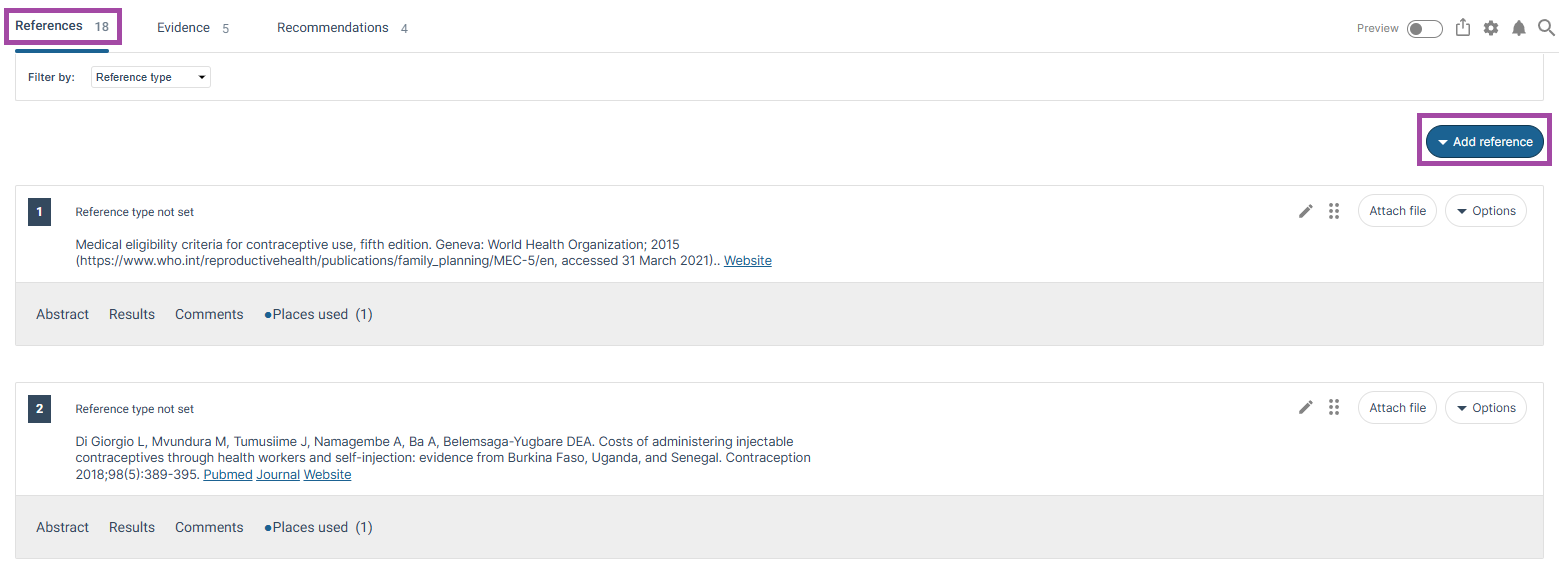
- In the References tab in MAGICapp, select the Add reference drop-down menu.
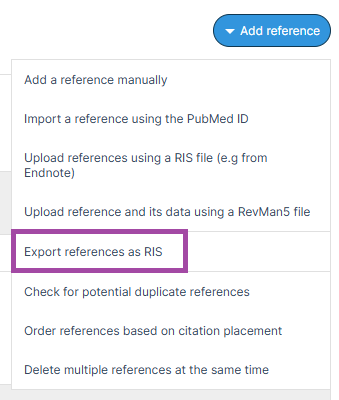
- Select Export references as RIS from the list of options.
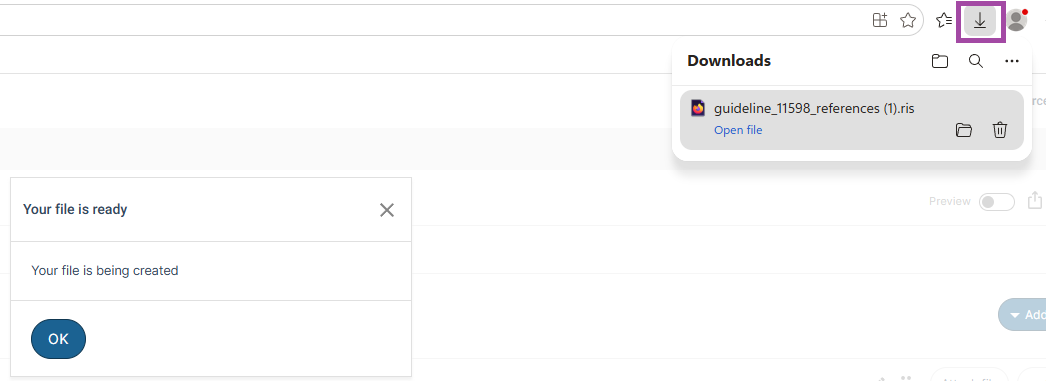
- The RIS file will be generated and downloaded to your device's default Downloads folder.
1.
2.
3.
Added: 13 August 2026
Was this article helpful?
That’s Great!
Thank you for your feedback
Sorry! We couldn't be helpful
Thank you for your feedback
Feedback sent
We appreciate your effort and will try to fix the article