The organization control panel provides organizational administrators with a central place to manage organizational details, member permissions, and all guidelines owned by the organization.
From the organization control panel, organizational administrators can:
- Edit information about their organization
- Add, remove or edit members’ permissions for the organization and for guidelines owned by the organization
- Invite non-MAGICapp users to create an account a become a member of their organization
- Create groups to manage members’ permissions across the organization
- Access all existing guidelines owned by the organization, including newly created guidelines
- View an overview of all published guidelines owned by the organization
- Customize the GRADE strength labels and coding systems used across the organization’s guidelines
- Coding systems and more
Organizational administrators can also:
- create new guidelines
- edit, publish and make public any guideline owned by the organization
Note: Organizational administrators have the same level of permissions as a Guideline administrator for all guidelines owned by the organization, unless permissions are manually changed for a specific guideline. See Organization control panel - Members, section 'View, update or remove a member’s permission in each guideline' for more information.
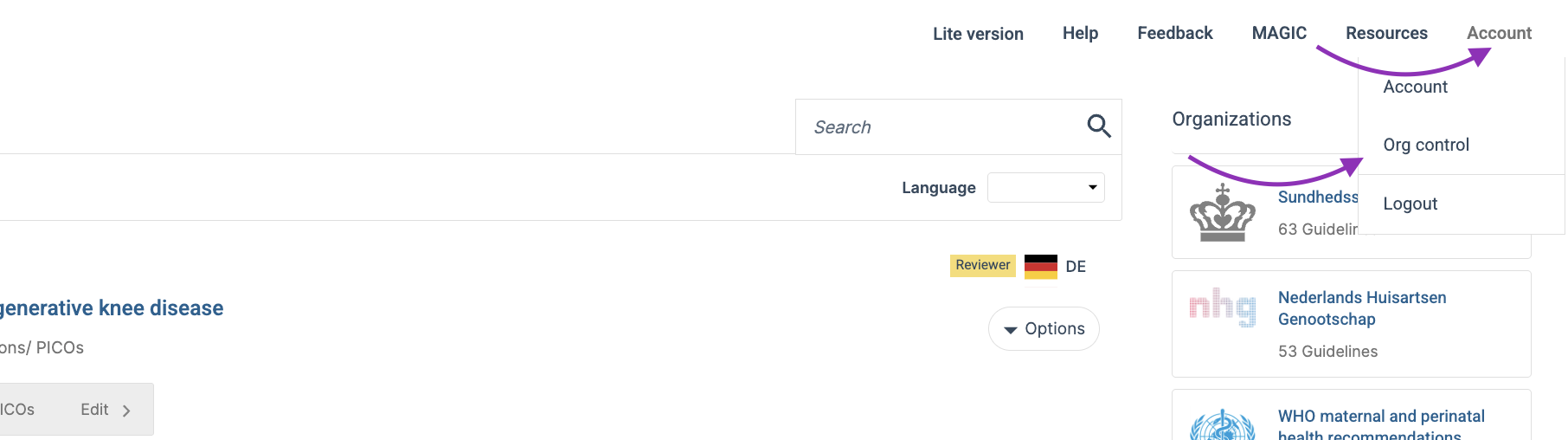
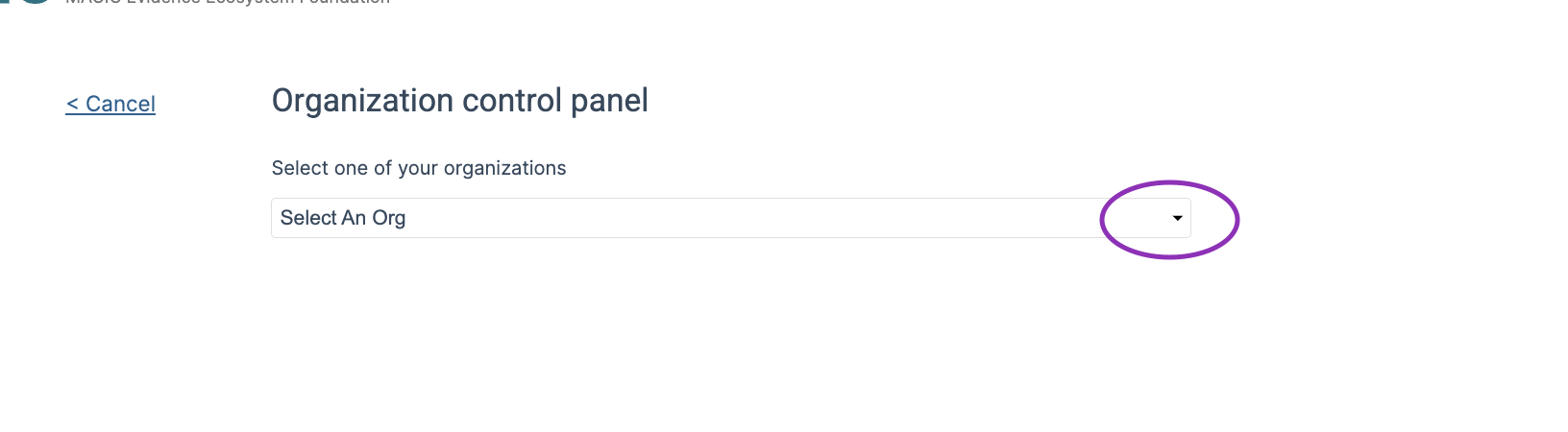
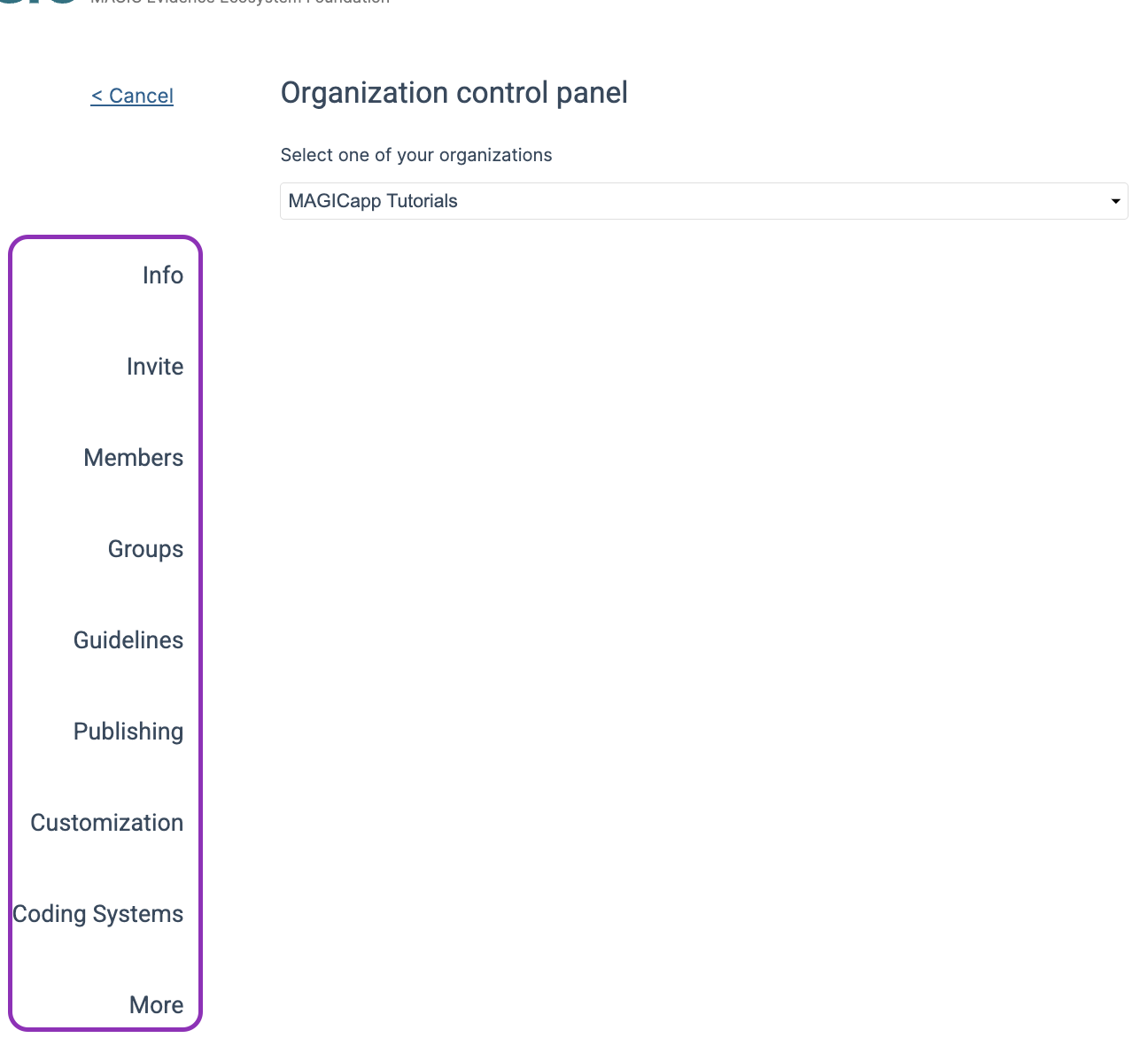
To access the organization control panel from the MAGICapp homepage, select Account, then choose Org control from the drop-down menu. If you are an organizational administrator for more than one organization, you can select the organization to open. The menu for managing the organization control panel appears on the left-hand side.
Info
See Organization control panel - Info
Invite
See Organization control panel - Invite
Members
See Organization control panel - Members
Groups
See Organization control panel - Organizational groups
Guidelines
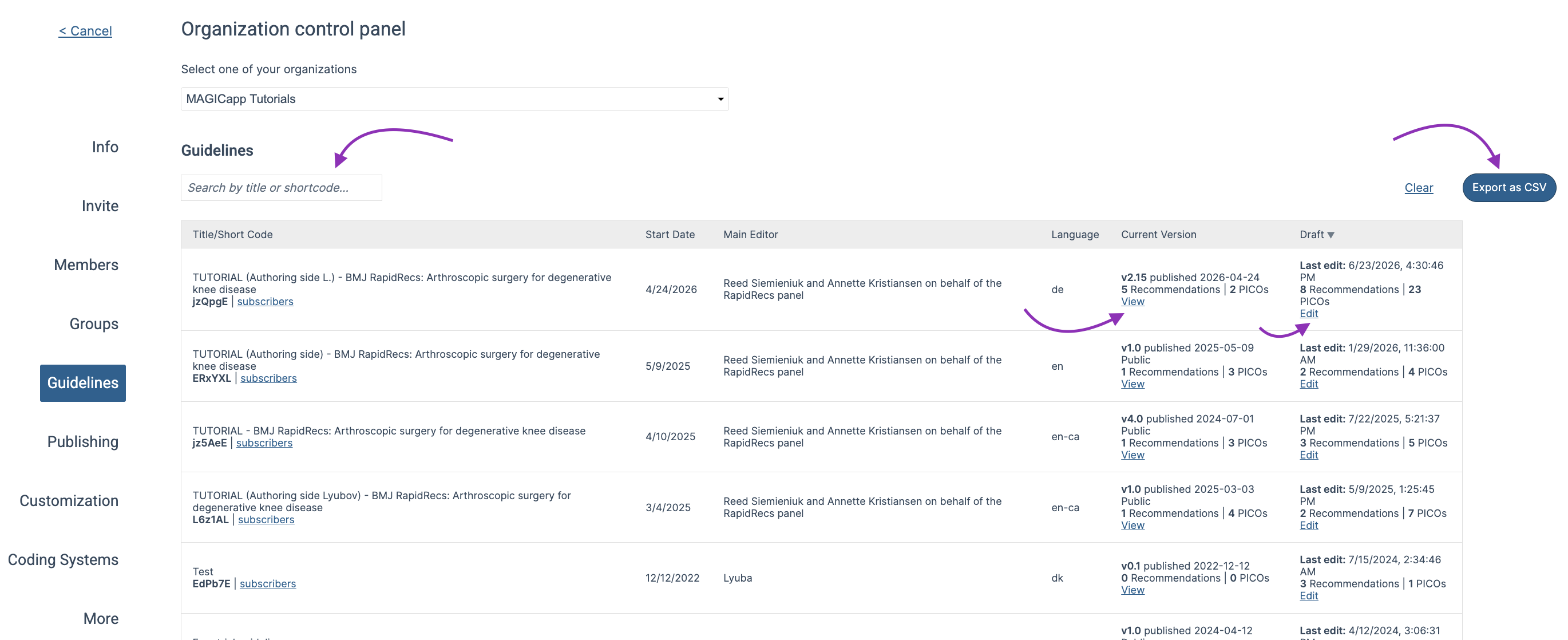
The Guidelines section provides an overview of all guidelines owned by your organization. For each guideline, you can view key information including:
- Title
- Shortcode
- Start date
- Main editor
- Language
- Current published version, with a View link for direct access
- Draft version, with an Edit link for direct access
You can also export this information as a CSV file. The exported file includes additional guideline details, making it useful for reporting, administration, and record-keeping purposes.
Publishing
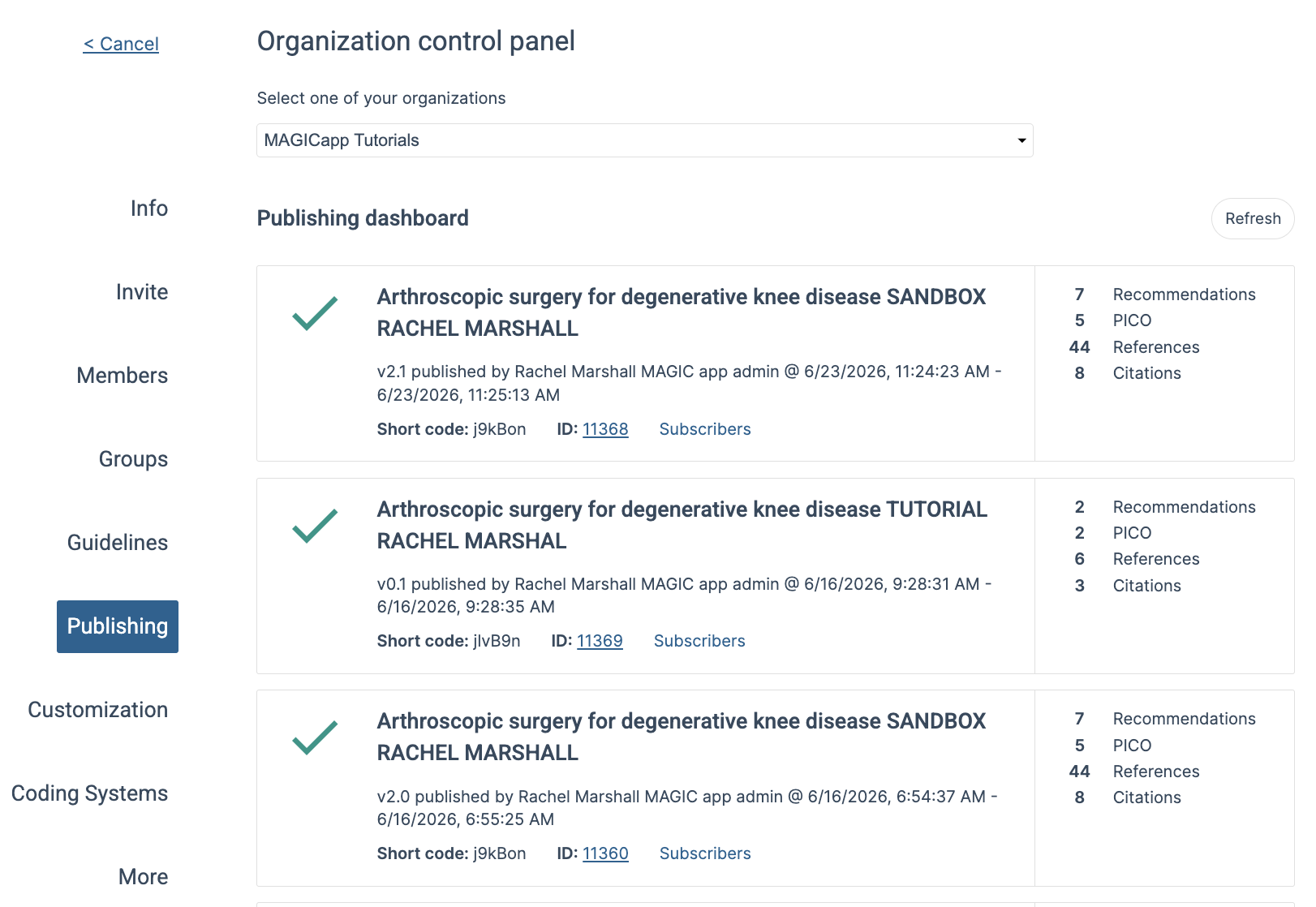
The publishing section provides an overview of all publication activities across the guidelines owned by your organization. This includes every published version, whether it was a major or minor update. For each publication, you can view key details such as the guideline title, version number, publication date, and other relevant publication information.
This overview makes it easier to track guideline updates, monitor publication history across the organization, and maintain records of all published versions.
Customization
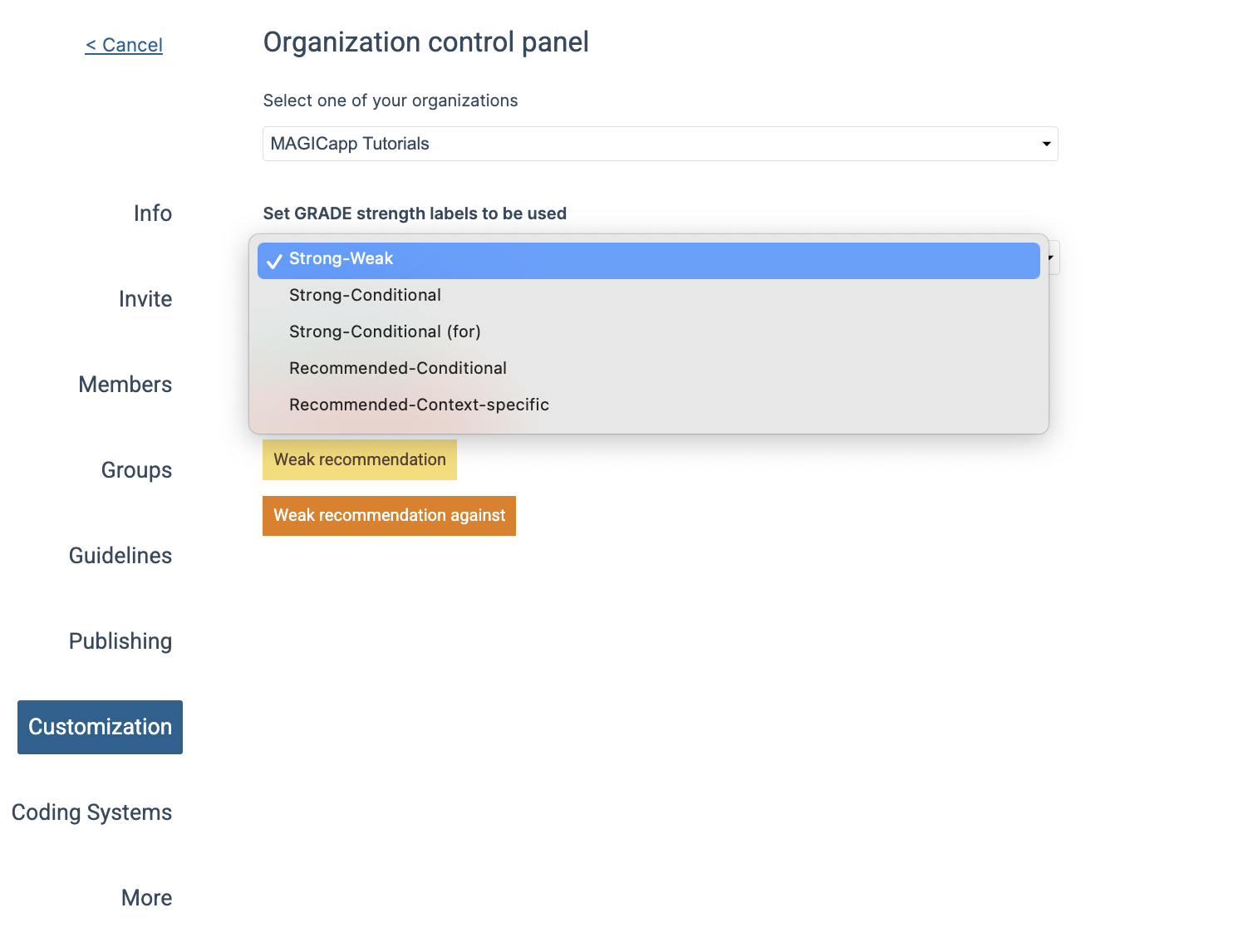
The Customization section allows organization administrators to customize the GRADE strength labels used across the organization's guidelines. You can define the terminology that best fits your organization's preferred approach, such as strong / Weak, strong / Conditional, recommended / Conditional, other custom label combinations.
Any changes made here will be applied consistently across the organization's guidelines.
Coding systems and more
The Coding Systems and More sections include information on the coding systems available in MAGICapp, organization-specific guideline links, compatible tools for evidence synthesis, and support resources.
You can also find guidance on how to share guideline links, suggested external tools, and contact information for MAGICapp support.
Last Updated: 30 June 2026
Was this article helpful?
That’s Great!
Thank you for your feedback
Sorry! We couldn't be helpful
Thank you for your feedback
Feedback sent
We appreciate your effort and will try to fix the article