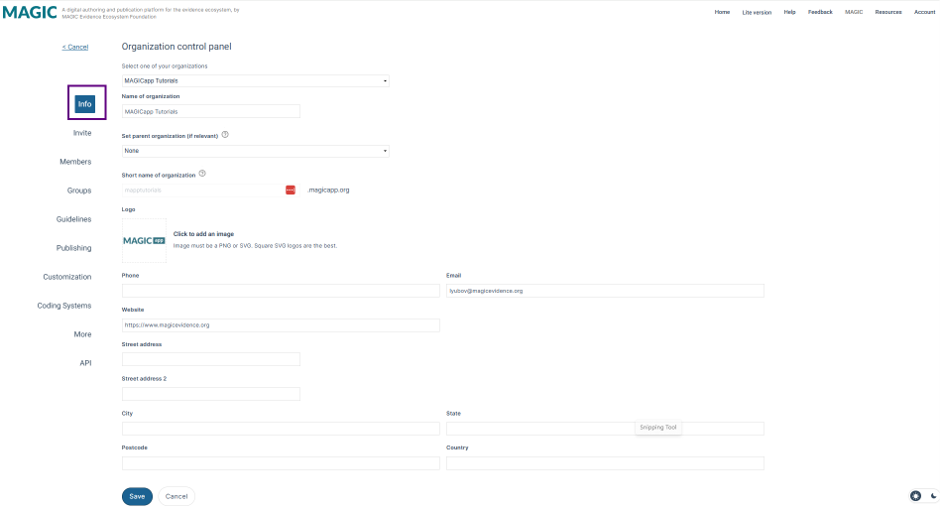
In the Info section of the organization control panel, you can view and edit your organization’s main information. Most fields are self-explanatory, but a few items are worth noting:
Name and Logo
These appear in several places across MAGICapp:
- on the homepage in the organizations panel (left-hand side)
- on the homepage next to the titles of guidelines owned by the organization
- in the About this guideline section of each guideline
- on the cover page of the PDF export of each guideline (unless the cover is customized)
The logo also appears in the top left-hand corner of each guideline owned by the organization.
Logos must be a PNG or SVG files; square SVG display best.
Parent organizations
A parent organization links an organization to a higher‑level organization in MAGICapp. When set, administrators of the parent organization automatically gain administrator access to the organization’s content. The organization also inherits the parent’s default GRADE labels and standard code systems, although these can be overriden if needed. This feature is optional and supports coordinated governance across related organizations.
Short name
The Short name is used in the organization-specific MAGICapp web address: shortname.magicapp.org. This link opens a filtered view showing only the organization’s guidelines. The short name must contain letters only, with no spaces. To change it after it has been set, please contact support@magicevidence.org.
Added: 30 June 2026
Was this article helpful?
That’s Great!
Thank you for your feedback
Sorry! We couldn't be helpful
Thank you for your feedback
Feedback sent
We appreciate your effort and will try to fix the article