The General Settings section contains the basic information and metadata for your guideline. This information helps identify, organize, and describe your guideline both within MAGICapp and, where applicable, for guideline users.
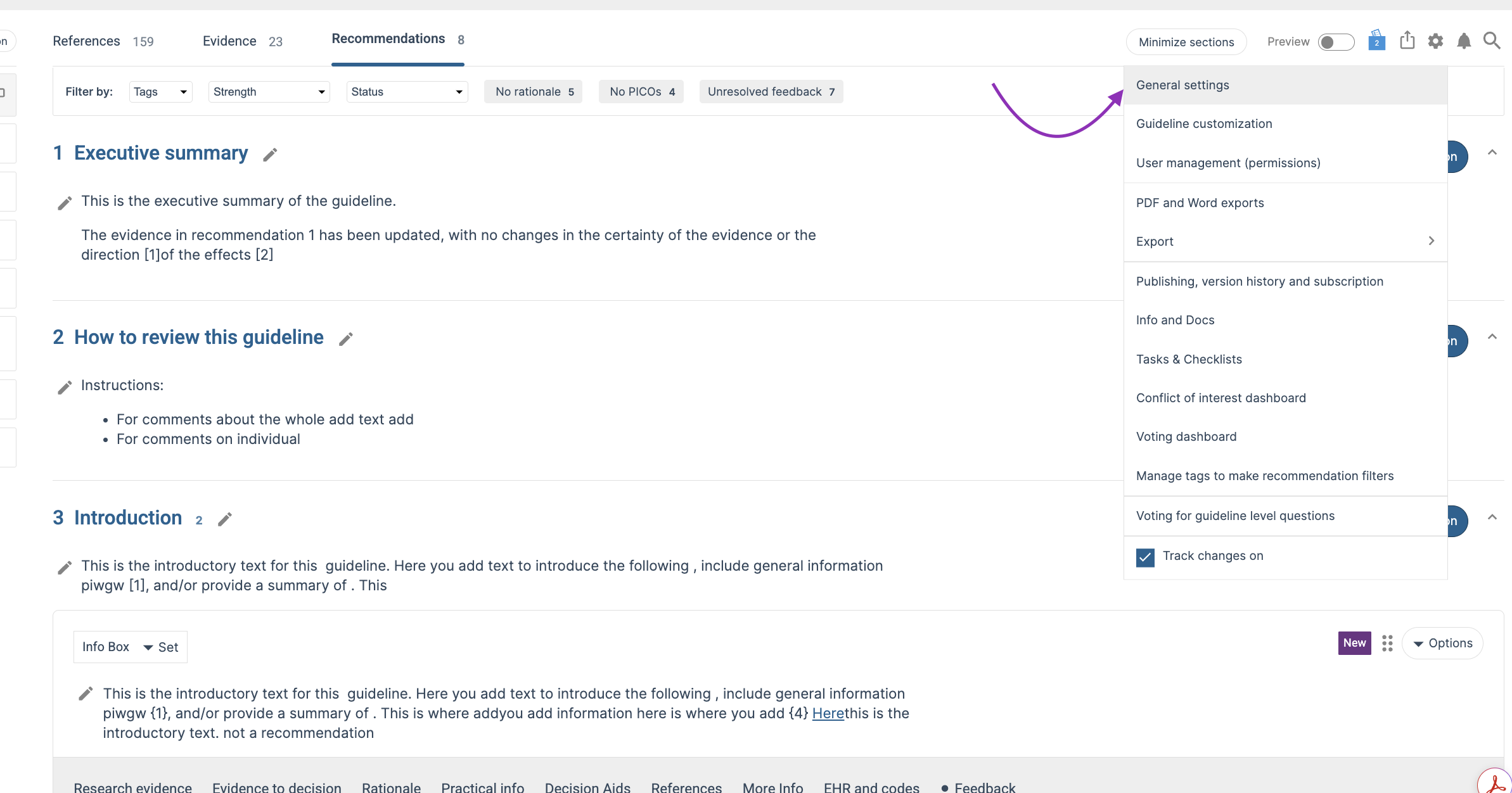
To access the General Settings, open the guideline settings menu and select General Settings.
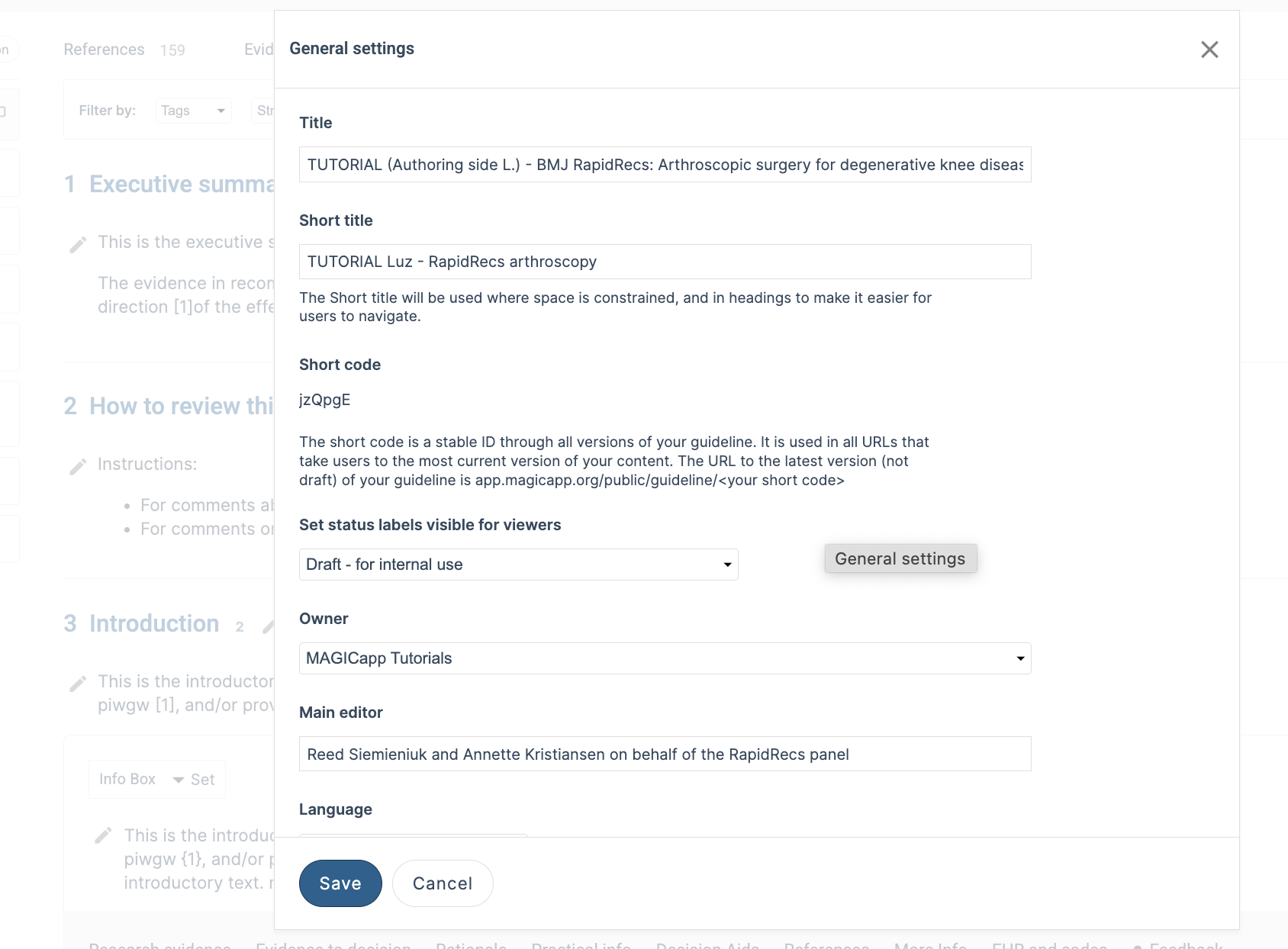
Title: The full title of the guideline. This is the primary title displayed throughout MAGICapp and in published versions of the guideline.
Short Title: A shortened version of the guideline title used when space is limited, such as in headings and navigation menus.
Short Code: The short code is a unique and stable identifier assigned to the guideline. It remains the same across all versions of the guideline and is used in URLs that direct users to the most current published version.
Status Label: Status labels can be made visible to viewers to indicate the current status of the guideline, such as "Draft – For Internal Use."
Owner: The organization that owns and manages the guideline.
Main Editor: The primary editor or editors responsible for the guideline.
Language: The guideline language is used for labels and formatting in PDF exports and helps users identify the language in which the guideline is written.
Please note that changing the guideline language does not change the language displayed in the MAGICapp interface. Interface language is controlled through each user's personal settings.
ISBN and ISSN: Optional fields that can be used to record publication identifiers where applicable.
Department: An optional field that can be used to indicate the department responsible for the guideline.
Organization's Own Document ID: An optional internal identifier used by your organization to track and manage guideline documents.
Start Date: The date associated with the start of the guideline project.
Contact Information: The Contact Information section allows you to provide details for guideline users, including name, address, email, telephone, website.
Sponsors/Funding: Information about organizations or groups that funded or supported the development of the guideline.
Disclaimer: Any disclaimer text that should accompany the guideline.
Description: A brief description of the guideline and its purpose. This information may be displayed to users when viewing guideline details.
About the Guideline Moved to the Sections List
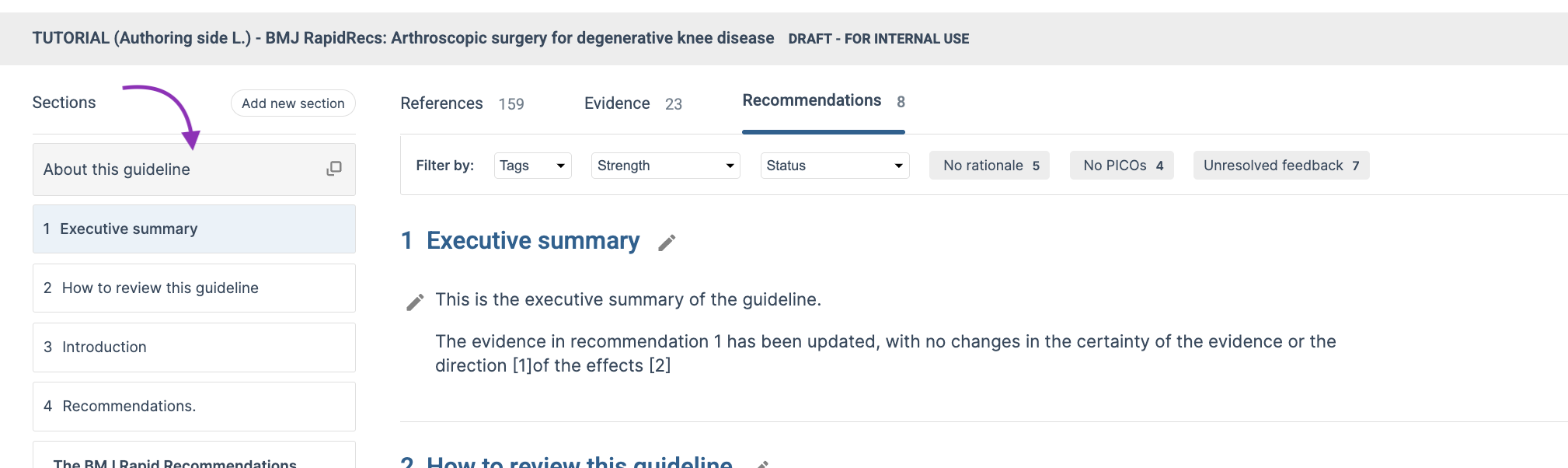
The About the Guideline information has been moved to a dedicated clickable item at the top of the sections list.
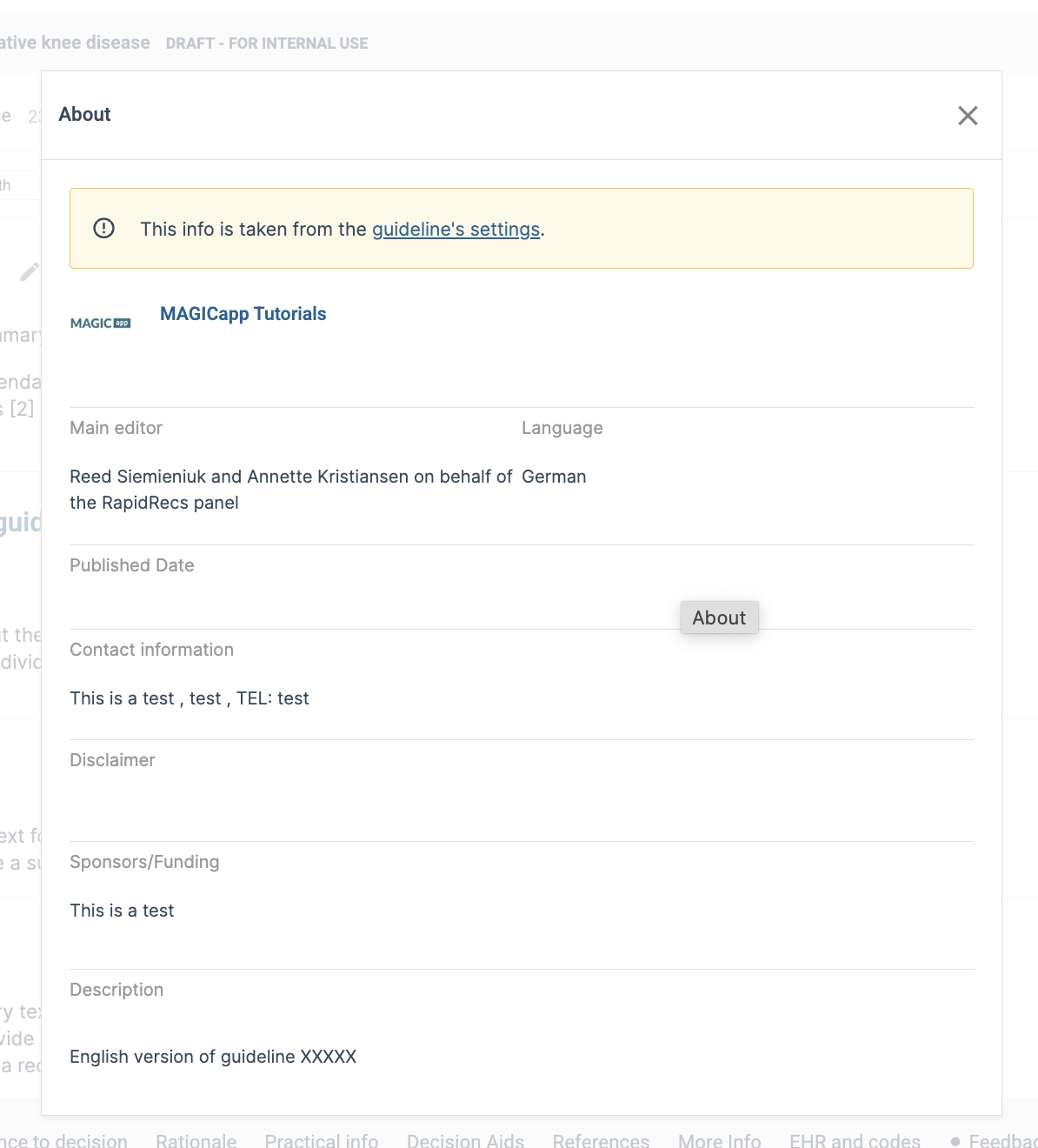
This is now the first item displayed in the navigation panel and provides quick access to key guideline information, including details such as the main editor, publication information, contact details, funding information, disclaimer, and guideline description.
Clicking About the Guideline opens a pop-up window displaying the information entered in the guideline settings.
This change makes it easier for authors and reviewers to access important guideline information without leaving the guideline content view.
Last Updated: 30 June 2026
Was this article helpful?
That’s Great!
Thank you for your feedback
Sorry! We couldn't be helpful
Thank you for your feedback
Feedback sent
We appreciate your effort and will try to fix the article