MAGICapp now offers a Lite Version designed to improve accessibility and performance for users with limited internet connectivity or those using screen readers.
The Lite Version provides access to guideline content through a simplified interface that reduces bandwidth requirements while maintaining access to key information.
The Lite Version is designed to:
- Improve performance on slower internet connections
- Reduce data usage
- Enhance compatibility with screen readers and assistive technologies
- Provide a simplified reading experience focused on guideline content
Finding Guidelines in the Lite Version
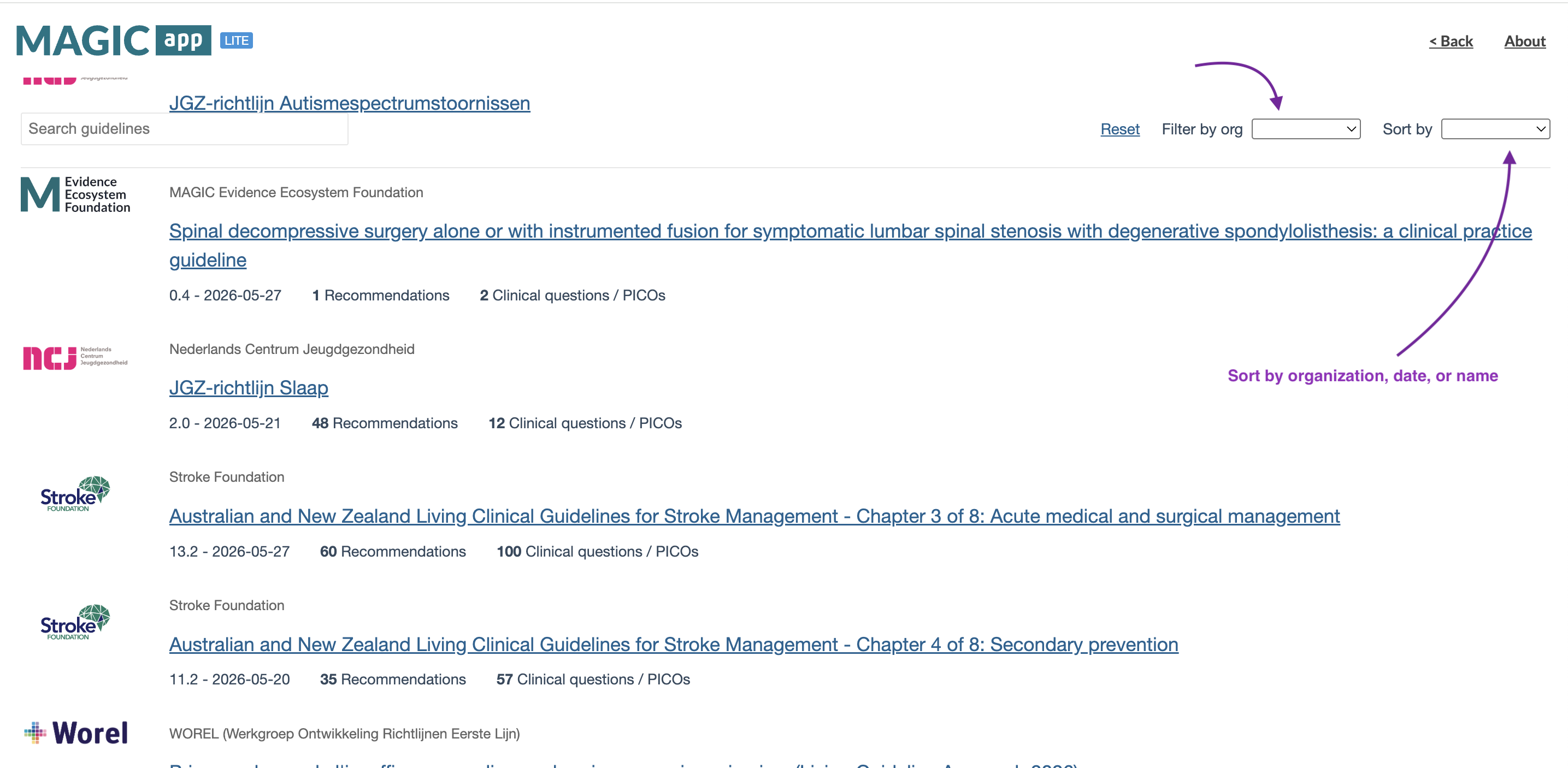
In the Lite Version, you can browse available guideline content and sort it by:
- Date
- Organization
- Name
You can also filter the content by organization. When you click on a guideline, it will open as a PDF.
Accessing the Lite Version
You can access the Lite Version in two ways:
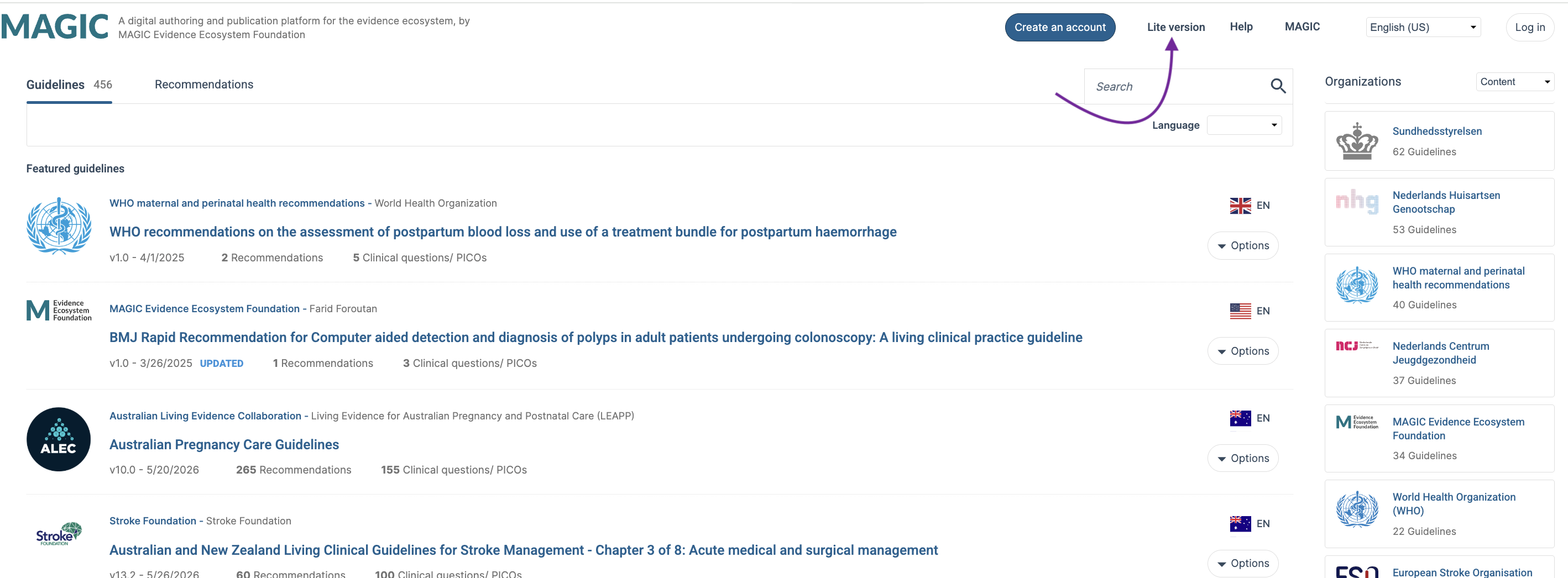
Option 1: From the MAGICapp Homepage
- Go to the MAGICapp homepage.
- Select Lite Version.
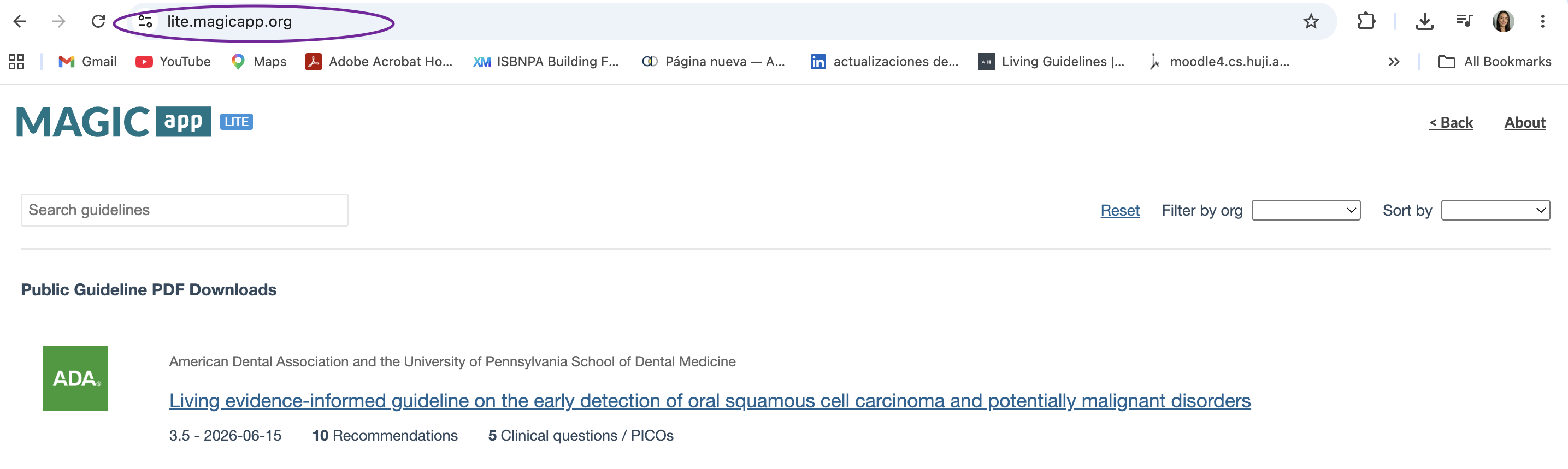
Option 2: Direct Access
You can also access the Lite Version directly by visiting:
The standard MAGICapp experience remains available and unchanged for all users
Last Updated: 16 June 2026
Was this article helpful?
That’s Great!
Thank you for your feedback
Sorry! We couldn't be helpful
Thank you for your feedback
Feedback sent
We appreciate your effort and will try to fix the article