You can choose whether the Decision Aid tab is displayed in recommendations across your guideline.
Go to Settings > Guideline customisation and "Show DAs in recommendation".
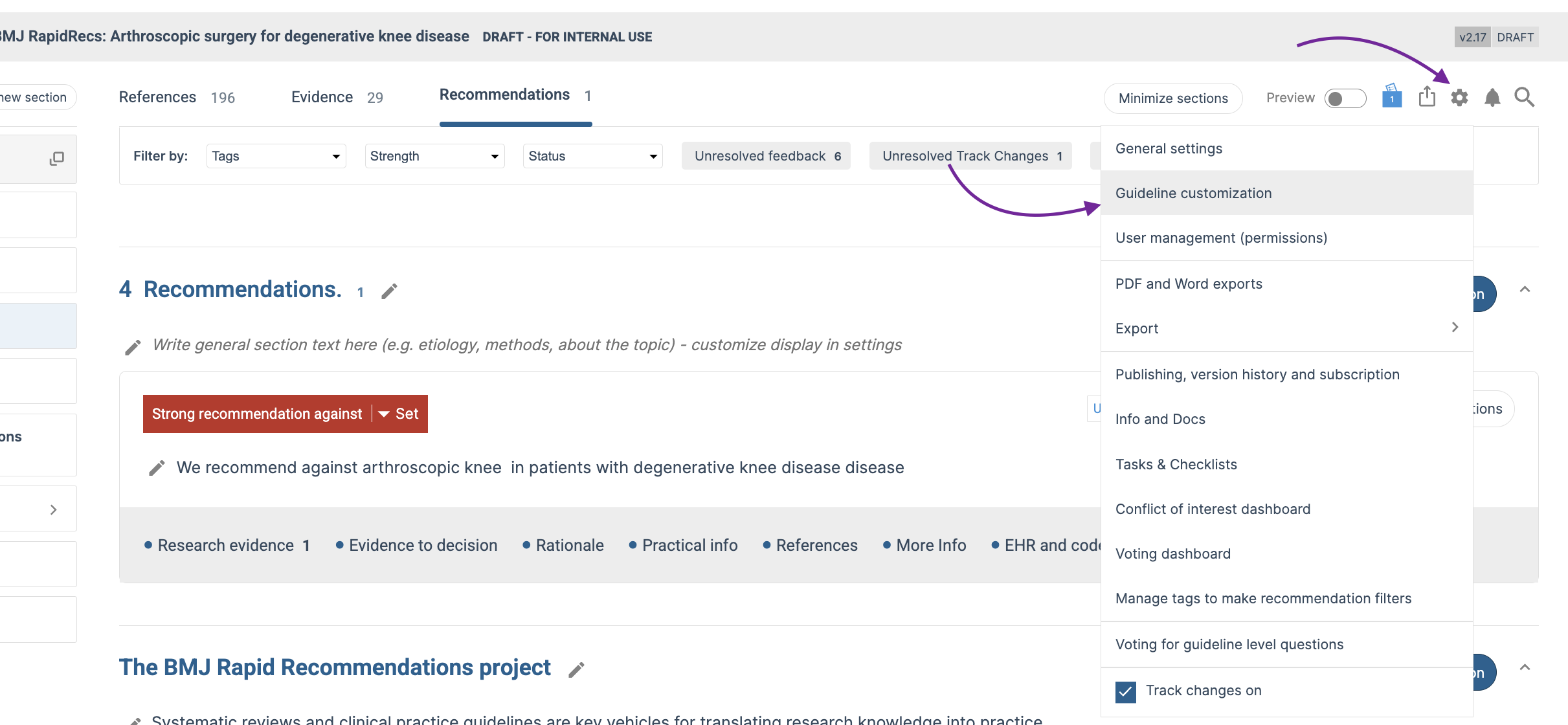
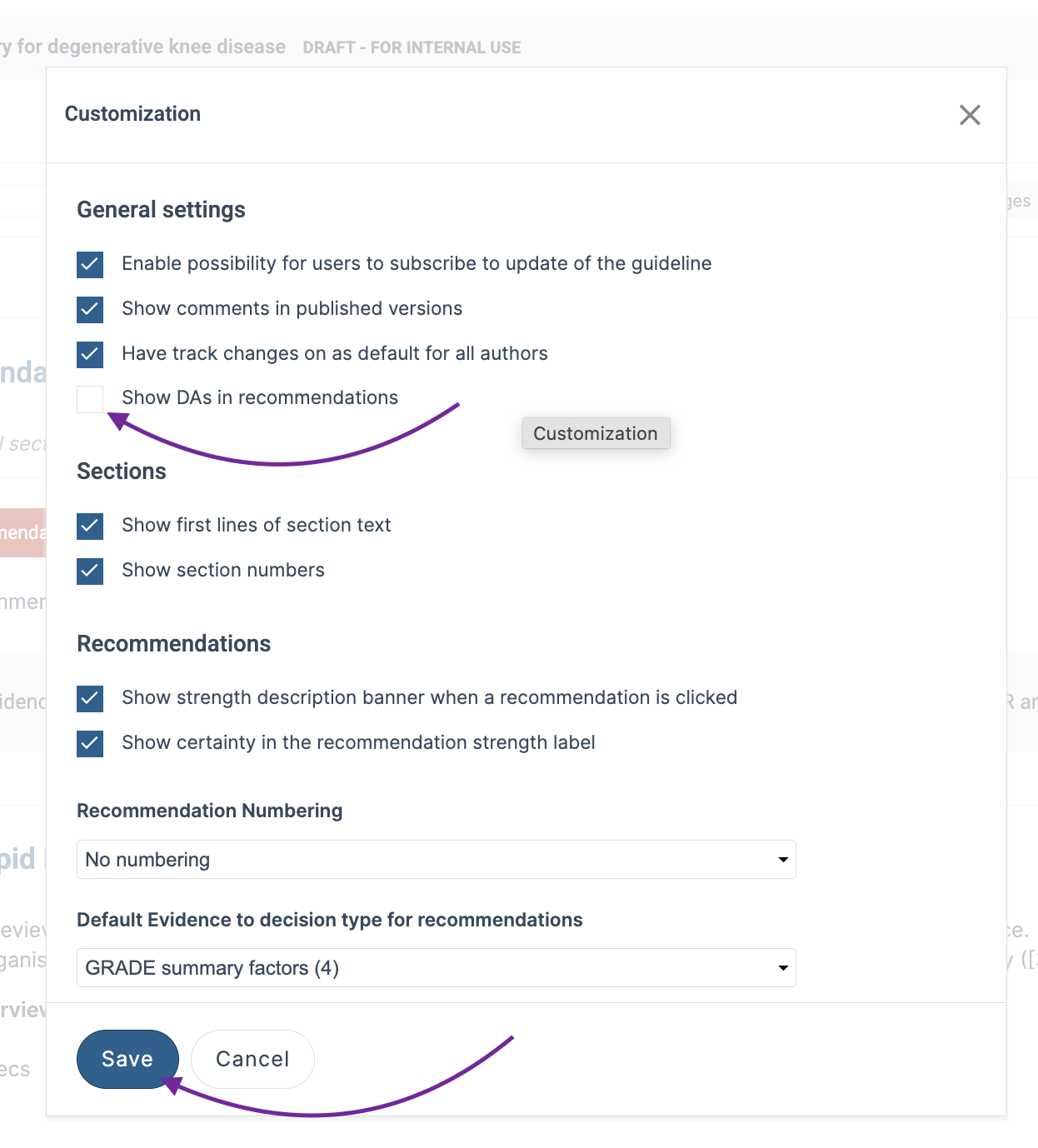
Turn this setting on to display the Decision Aid tab in recommendations, or turn it off to hide the tab across all recommendations in the guideline.This setting allows you to control the visibility of Decision Aids across the entire guideline.
Last Updated: 14 August 2026
Was this article helpful?
That’s Great!
Thank you for your feedback
Sorry! We couldn't be helpful
Thank you for your feedback
Feedback sent
We appreciate your effort and will try to fix the article